
Run Qwen3.8-27B Locally with LM Studio and DeepSeek Harness
Run Qwen3.8-27B Locally with LM Studio and DeepSeek Harness
A reliable local-agent setup has three checkpoints: the model fits, the API responds, and the agent can call it. This guide uses LM Studio as the inference server and DeepSeek Harness as the agent interface, so each failure can be isolated instead of treating the whole stack as one black box.
The procedure was rechecked on September 4, 2026 against the official Qwen3.8-27B model card, LM Studio server documentation, the LM Studio Community GGUF repository, and the DeepSeek Harness repository. Qwen lists a native 262,144-token context window, but that specification does not mean every PC can allocate it locally.
Budget memory before downloading anything
Check the GPU first:
nvidia-smi --query-gpu=name,memory.total --format=csv
For this IQ4_XS build, 24GB or more is the comfortable path. A 16GB card can be attempted by moving the KV cache to system RAM, accepting lower throughput and a shorter starting context. Below 16GB, a smaller Qwen model is the sensible choice. Remember that Windows, displays, browsers, and other AI tools also consume VRAM.
Download the exact quantization
Install LM Studio and search its model catalog for lmstudio-community/Qwen3.8-27B-GGUF. Select the file whose name ends in UD-IQ4_XS; the demonstrated build is roughly 15.18GB. The repository also offers other quantizations, so checking the suffix matters more than clicking the first result.
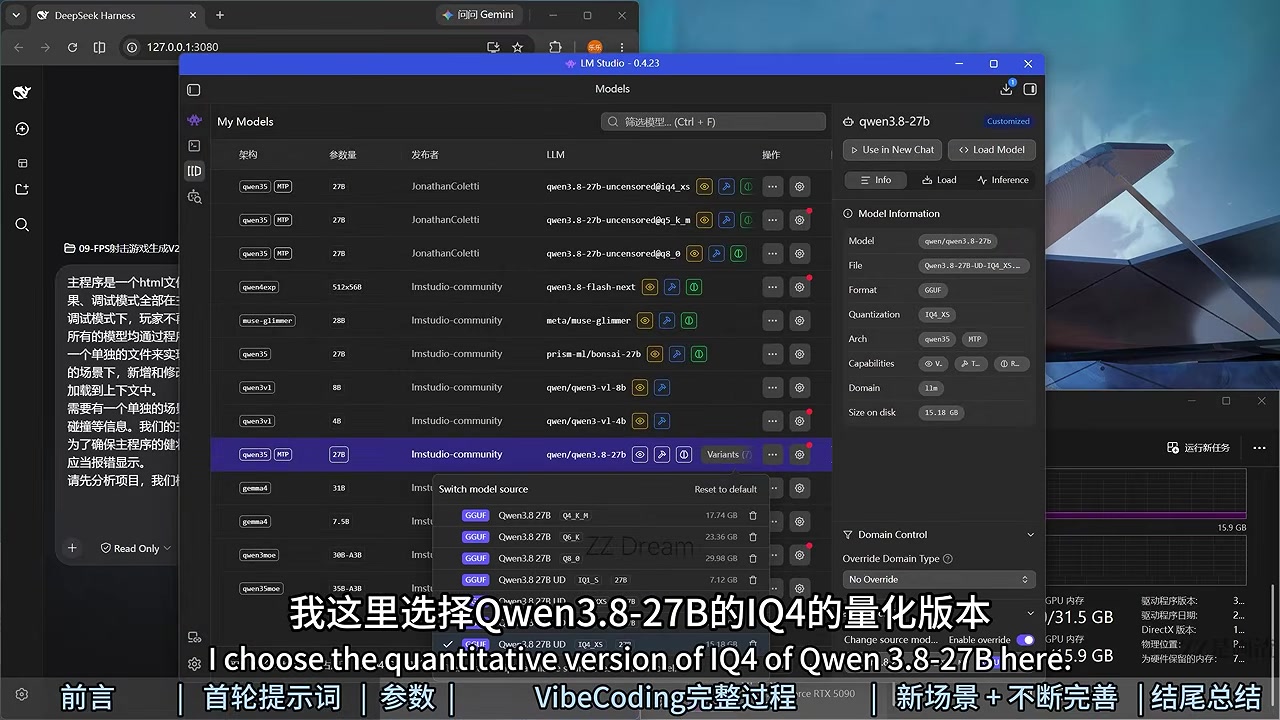
The walkthrough used LM Studio 0.4.23. Newer releases may move controls or rename them; follow the concepts below and use the memory estimate as the final guardrail.
A starting profile for 24GB-plus GPUs
Open advanced load settings. The reference machine used GPU Offload 65, 8 CPU threads, Eval Batch Size 2048, Physical Batch Size 512, Unified KV Cache enabled, and 32 Context Checkpoints.
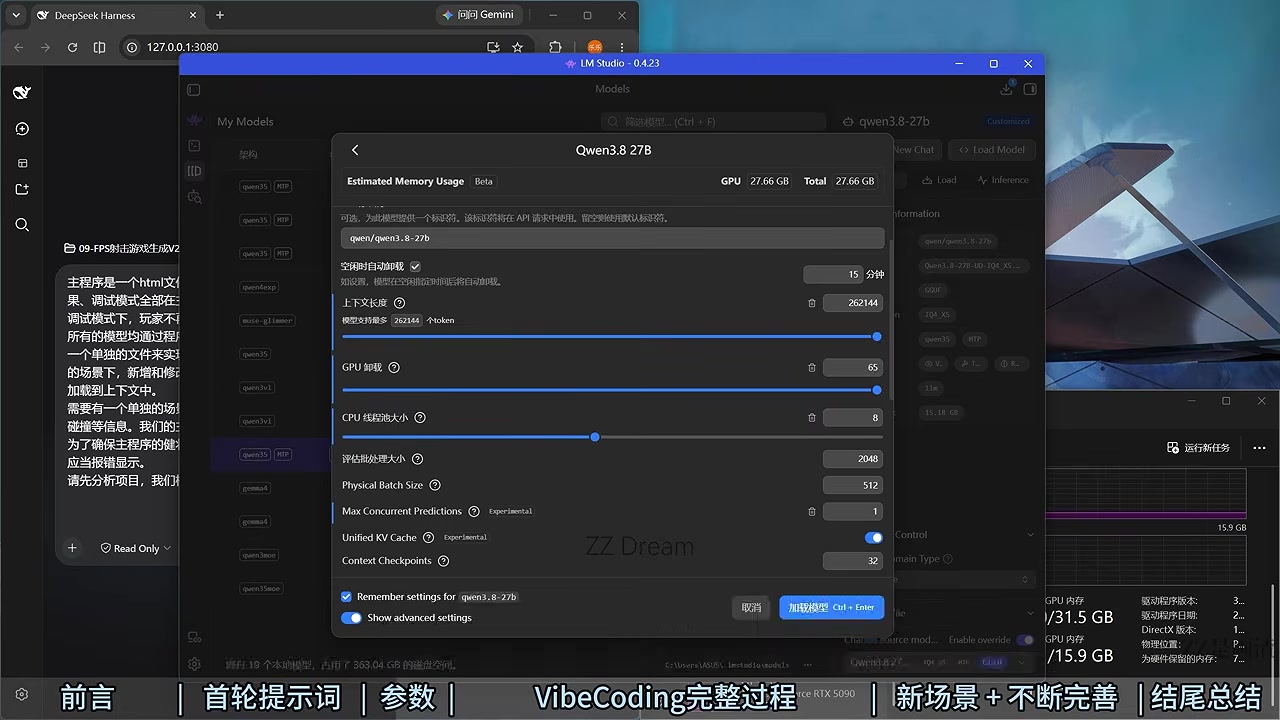
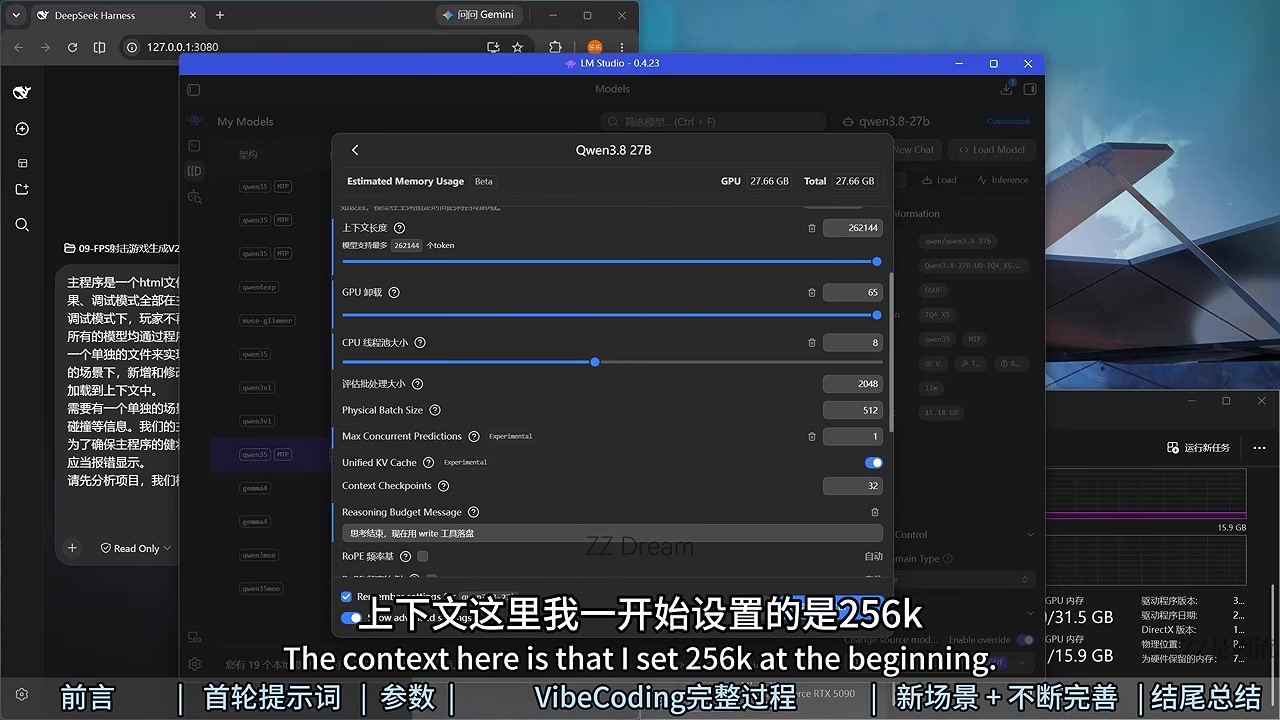
Set Context Length to 262144 only if the estimated allocation remains inside your available memory. The number is the model's native limit, not a mandatory setting. If the estimate is too high, reduce GPU offload first and context length second rather than forcing the load.
A survival profile for 16GB GPUs
Start with a 131072 context, GPU Offload at 56 of 64 layers, Q4_0 KV-cache quantization, and KV Offload to GPU disabled. Enable MTP with two maximum draft tokens. If LM Studio exits while loading, lower GPU Offload in steps of four; only then cut context further.
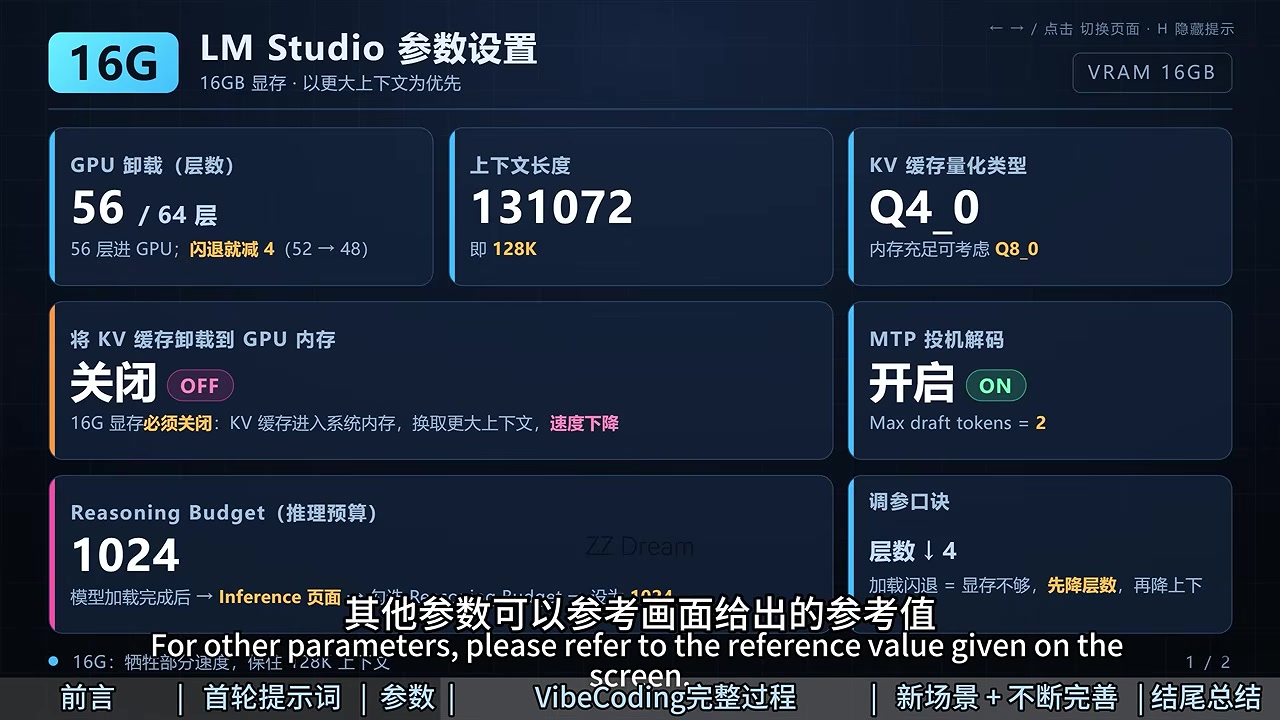
This is a starting experiment, not a guarantee. It relies on sufficient system RAM for the KV cache and will usually respond more slowly. Change one setting per attempt so you know which adjustment fixed the crash.
Keep reasoning bounded
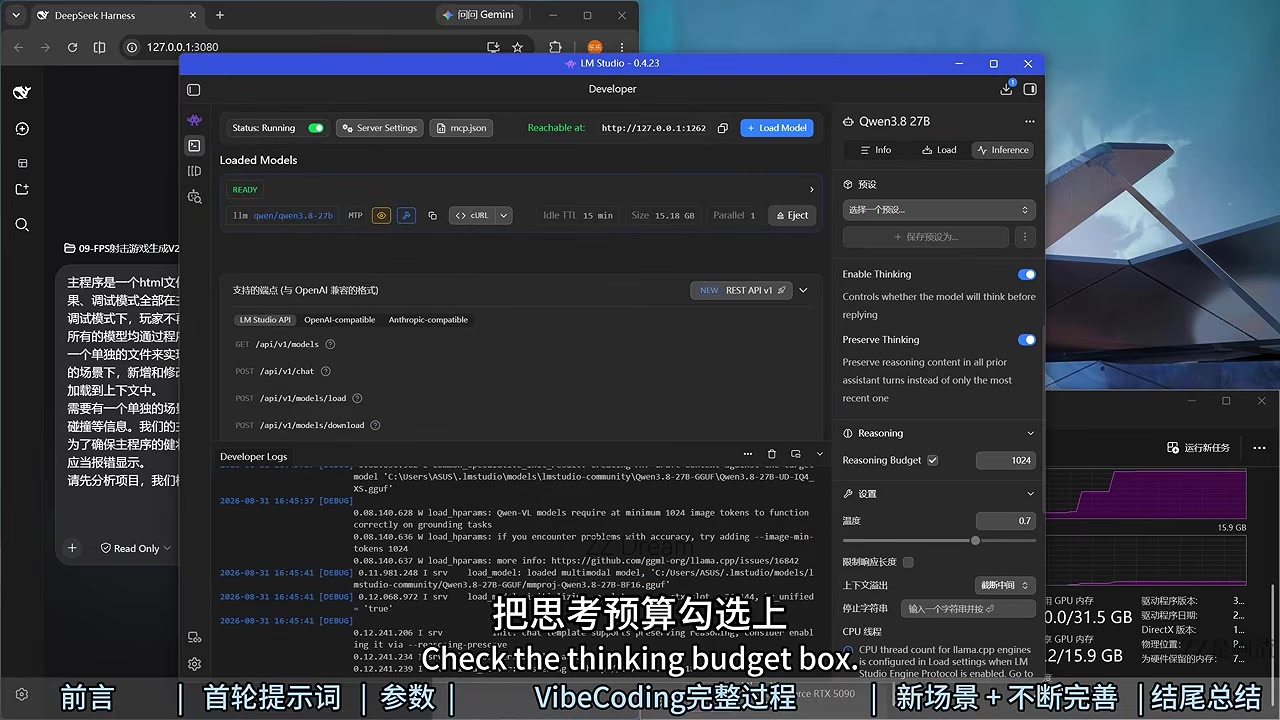
After the model reaches READY, open the inference controls. Enable Thinking and Preserve Thinking, then begin with a Reasoning Budget of 1024 and Temperature 0.7. Increase the budget only after the basic connection works; otherwise a slow first response can look like a broken server.
Prove the server works independently
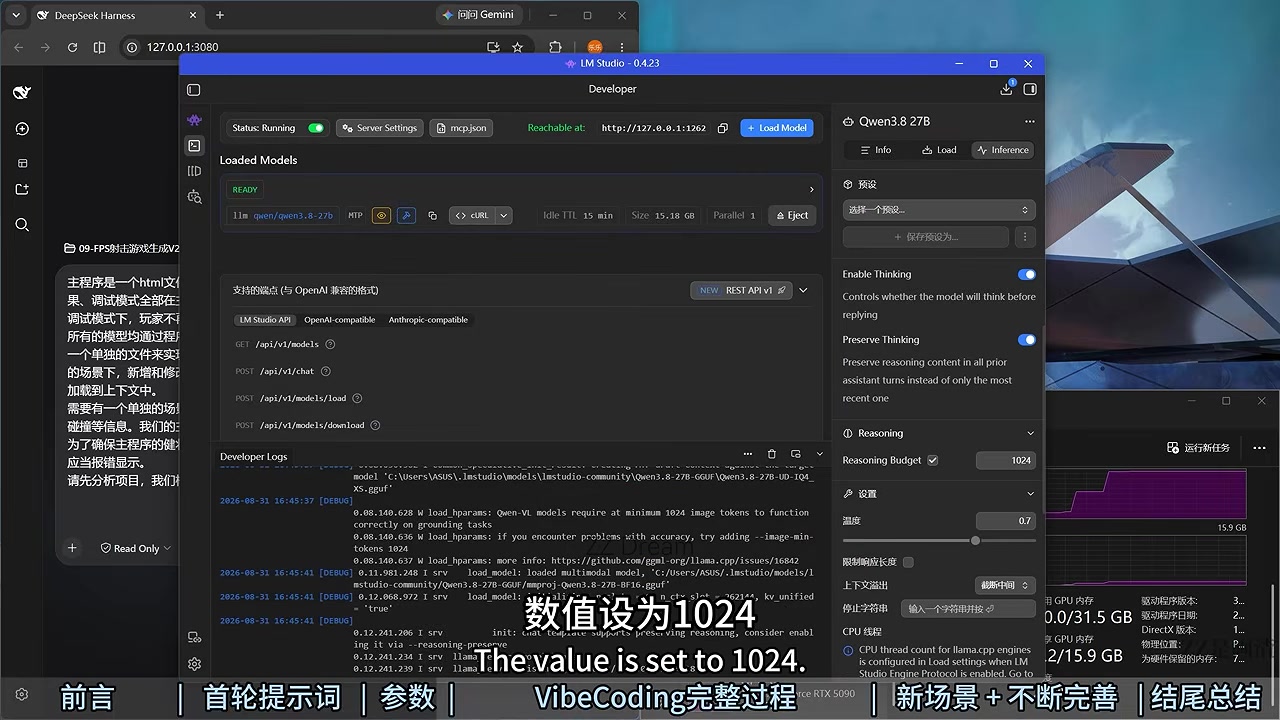
Start the server from LM Studio's Developer page. LM Studio documents port 1234 as the default, but it also remembers a previously selected port; the reference machine used 1262. Copy the address shown in your own interface.
Test the OpenAI-compatible model list before installing the agent layer:
curl --fail http://127.0.0.1:1262/v1/models
Replace 1262 with the displayed port. A JSON response containing the loaded model ID proves that model loading, the local listener, and the compatibility endpoint are all working.
Point DeepSeek Harness at LM Studio
DeepSeek Harness is currently a developer preview, so expect breaking changes. Install a Node.js version accepted by the current package, open a terminal in the workspace you intend to expose to the agent, and run:
node --version
npx @deepseek-ai/dsh web
The official default address is http://127.0.0.1:3080. In its model settings, add an OpenAI-compatible provider. Use http://127.0.0.1:1262/v1 as the Base URL, substituting your actual LM Studio port. If LM Studio authentication is disabled, a non-empty placeholder such as lm-studio is enough for the API-key field. Copy the model ID from /v1/models rather than guessing it.
Acceptance test and operating habits
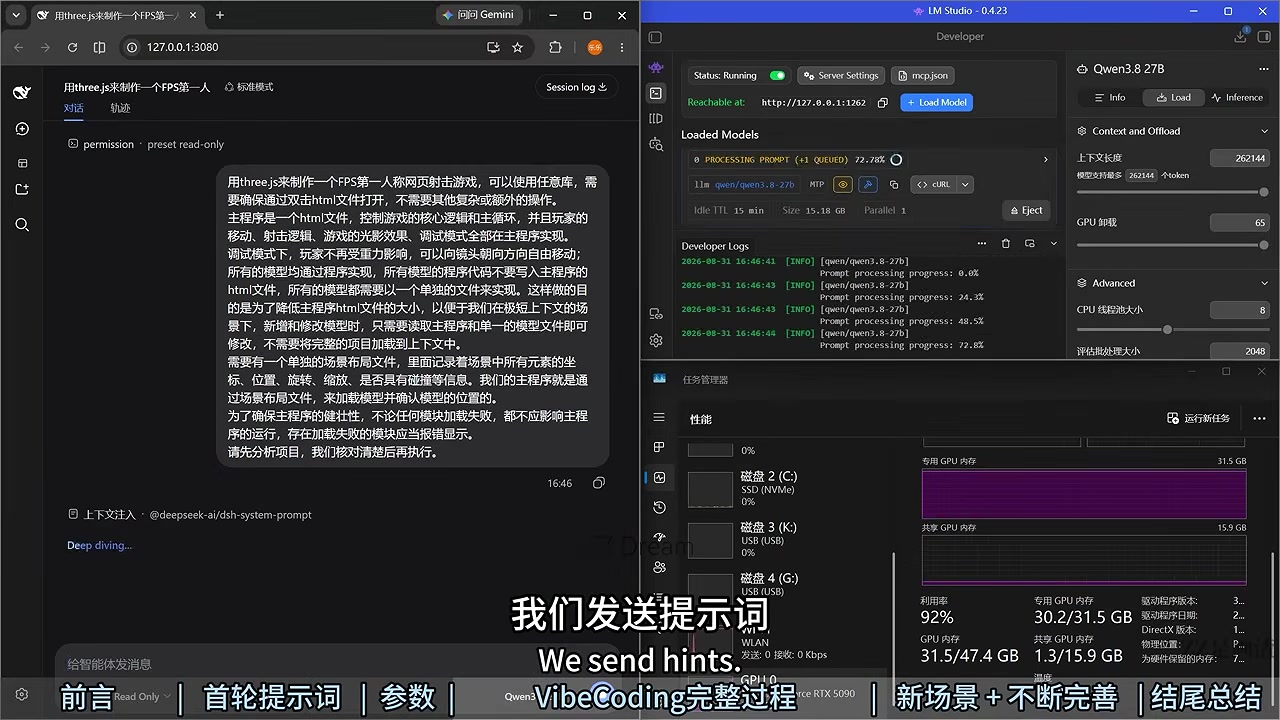
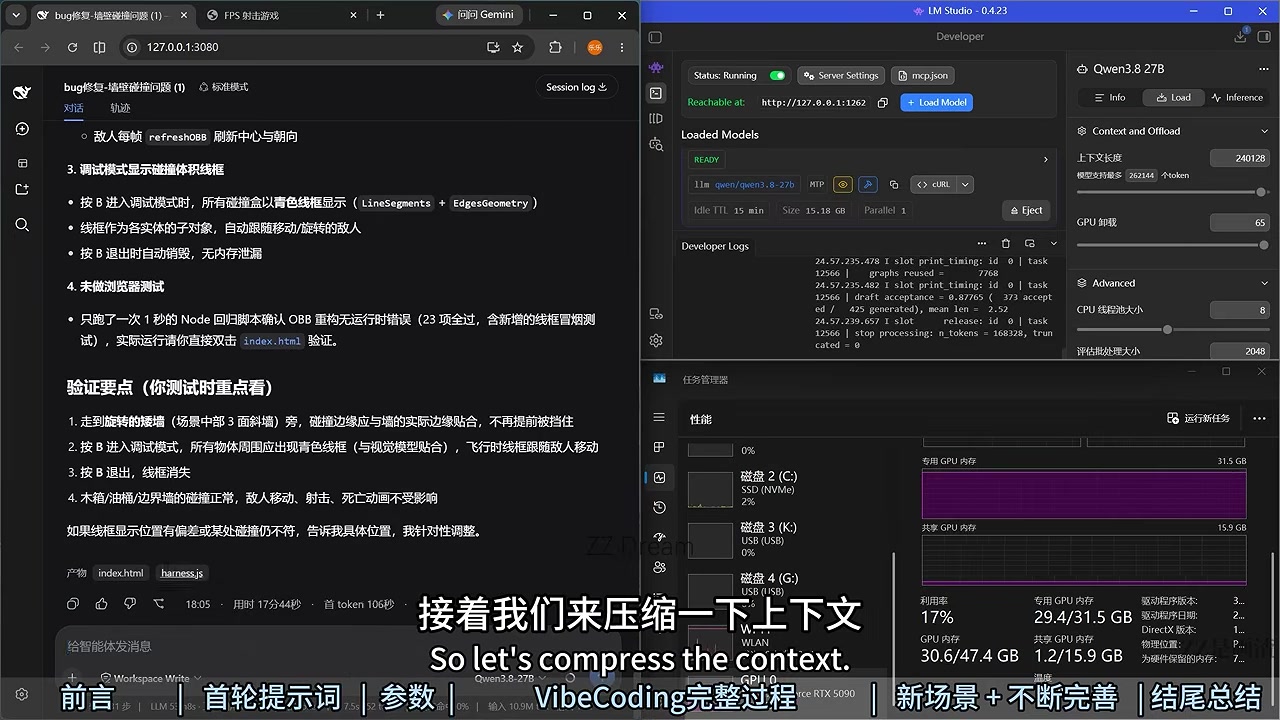
Verify five things in order: the model says READY, the server says Running, /v1/models succeeds, the Harness UI opens, and a prompt such as Reply with only: ok returns text. Watching VRAM rise without an immediate process exit is a useful final signal.
Long sessions should not depend on chat history alone. Use /compact when the context grows, then keep durable requirements in project files where the agent can reread them.
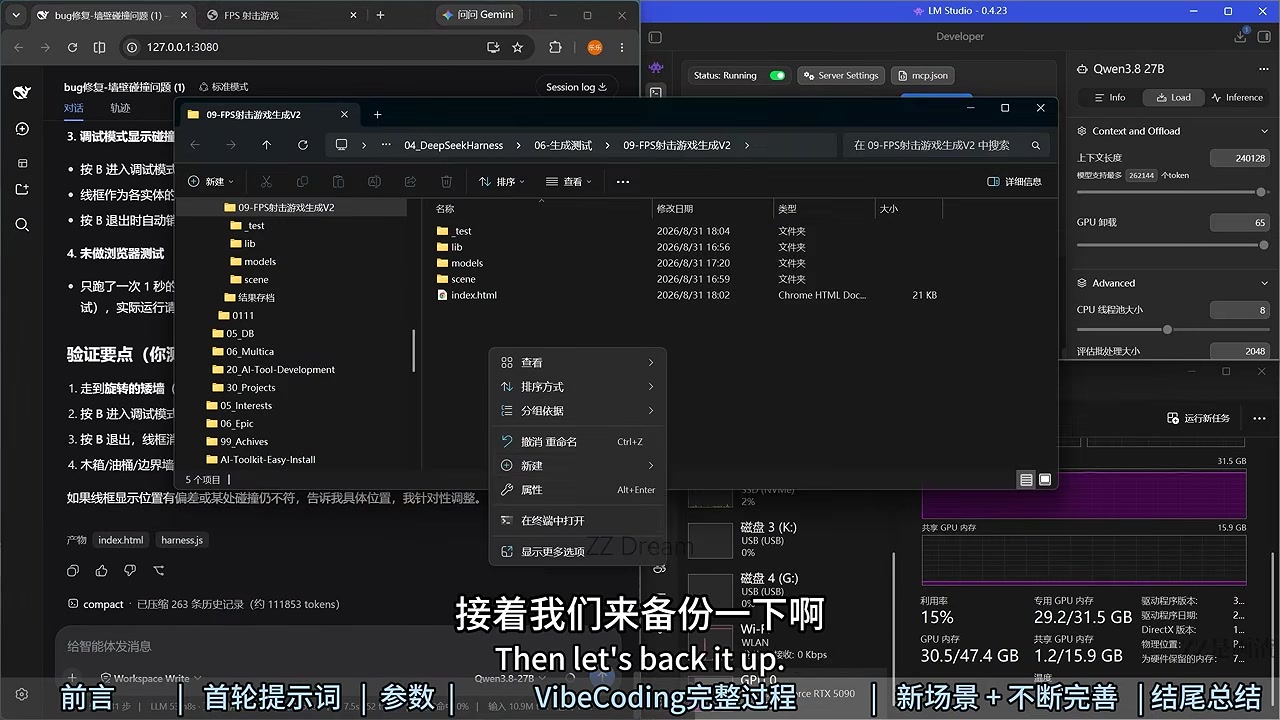
Before a large refactor, copy the whole project directory. Keeping the main HTML, libraries, model assets, and scene coordinates in separate files also limits damage when one generated change is wrong.
Diagnose from the bottom up
If loading crashes, close other GPU workloads, reduce GPU Offload, then reduce context. If Harness cannot see the model, stop changing model parameters and retest /v1/models; then check the port, the /v1 suffix, and the exact model ID. If responses are merely slow on 16GB, reduce context and reasoning budget before assuming the integration failed.
Keep both services bound to loopback. Do not publish LM Studio or Harness directly to the internet, do not replace the named GGUF with an unverified file-share download, and test the agent in a disposable workspace before granting access to valuable projects.
Latest from the blog
New research, comparisons, and workflow tips from the Vibe Coding Tools team.
A recorded Muse signup through Airtap, covering email codes, birthday confirmation, Meta account creation, and the limits of the invite-code and chat checks.
A practical look at local LLMs and agent workflows on a 32GB Apple Silicon Mac mini, including Qwen3.6-35B-A3B, MLX, and tool-calling limits.
A practical review of Jev's typed decisions, state handling, current AI Gateway availability, and independent open source alternatives.