
DeepSeek Super Agent: A Practical Guide to Delegating Small Coding Tasks
You are working on a web page when someone points out that the startup command in the README no longer works. It is a small fix, but checking the scripts still interrupts your main task.
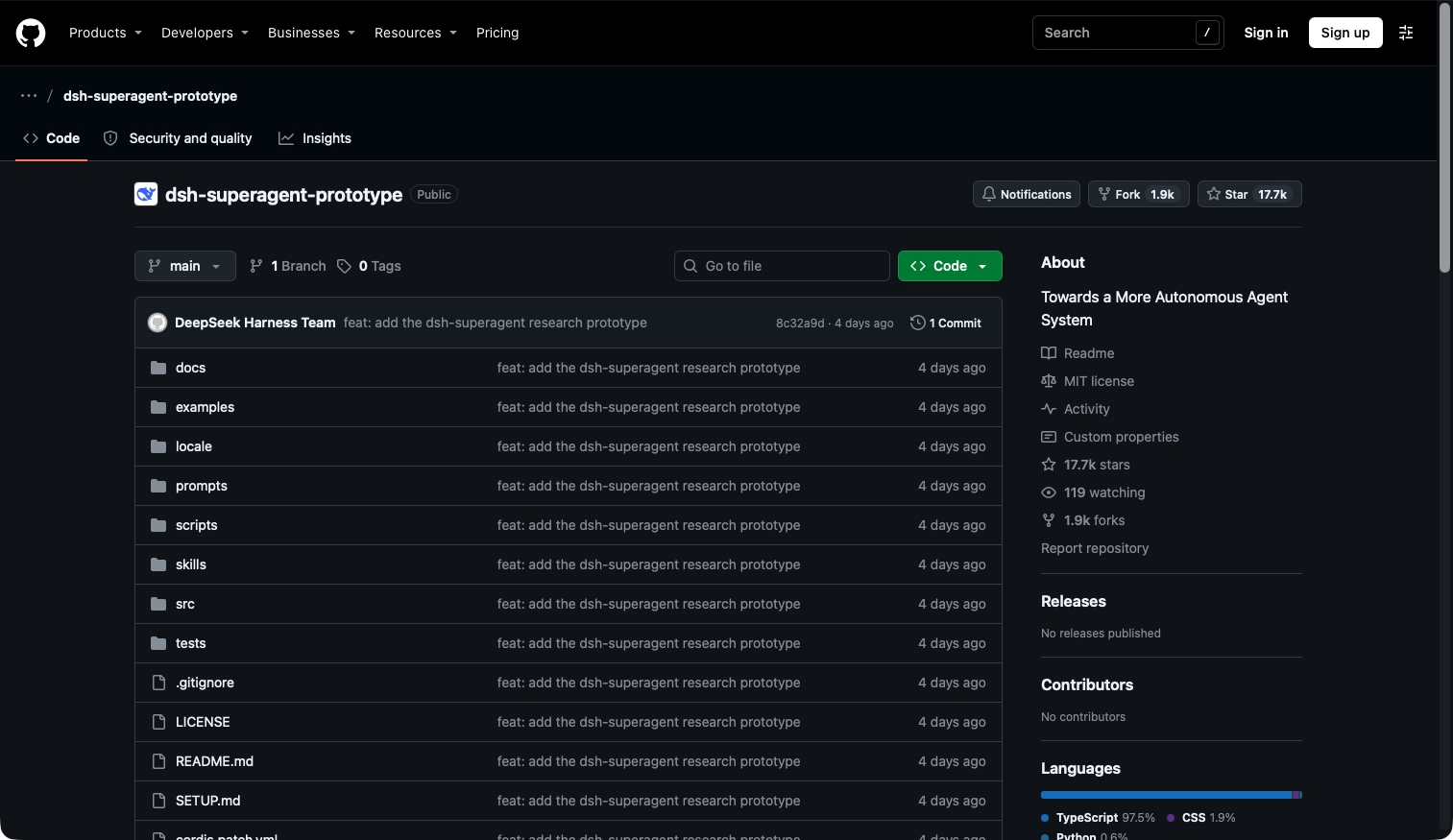
DeepSeek Super Agent is a system that receives requests, assigns work to coding agents, and brings the results back for you to review. The public prototype works with one GitHub repository and can also listen to Feishu. GitHub is where a team stores code and discusses changes. Official overview
The starting point matters: this is a research prototype, not an official DeepSeek product. The published code also differs from the team's internal version, and some ideas in the design article remain future work. Prototype status
Can it coordinate multiple agents?
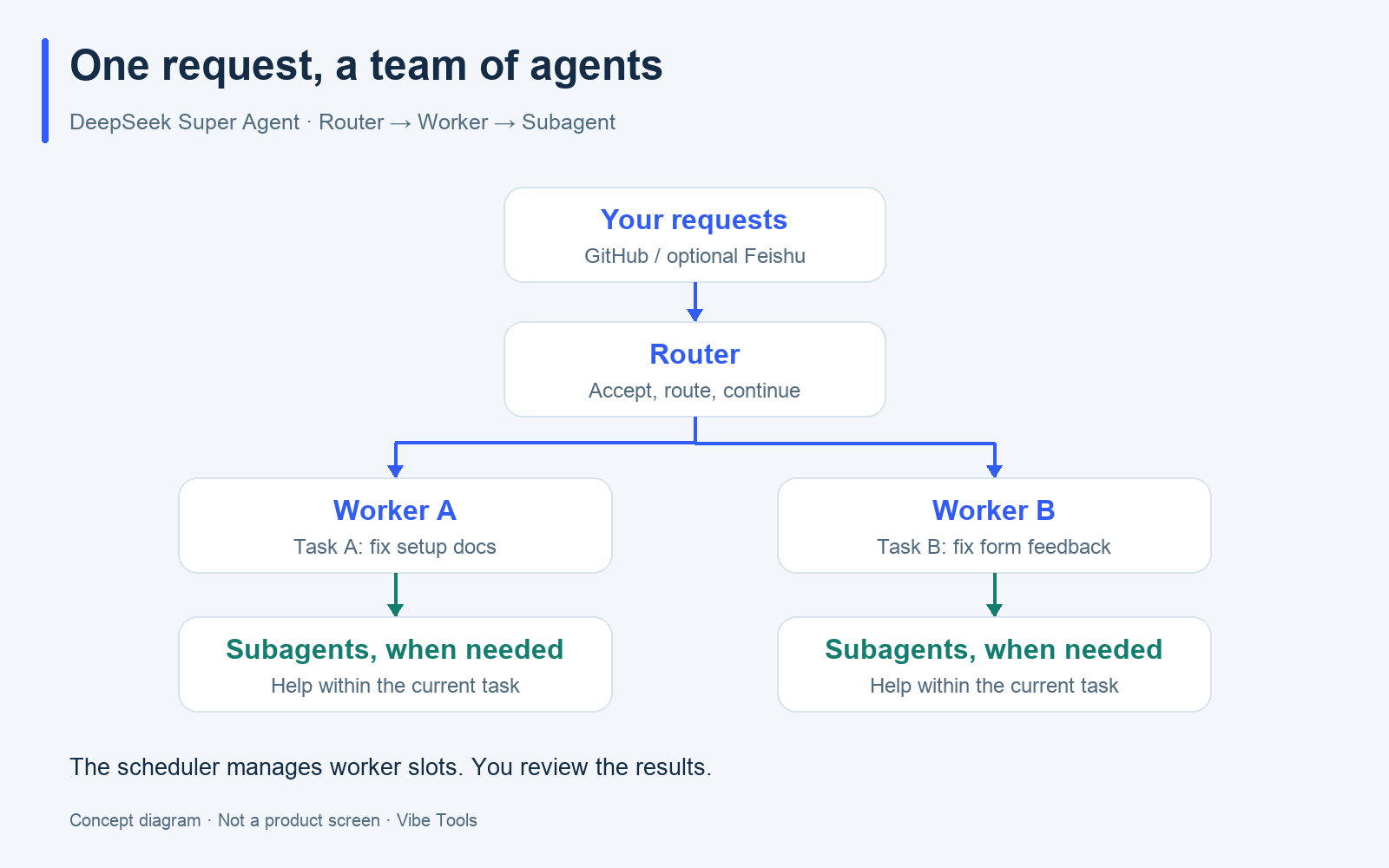
Yes. A Router handles incoming work, while Workers carry out individual tasks. An agent is an AI assistant that can use tools to act on a request. A session holds its conversation and work history. Domain model
| Role | A useful comparison | What it does |
|---|---|---|
| Router | Project coordinator | Assesses requests, routes new work, and connects messages to existing tasks |
| Worker | Person doing the task | Handles a ticket, or task record, in its own session and directory |
| Background scheduler | Work queue | Starts execution when a worker slot is free and queues it when slots are full |
Workers can also call subagents to help within a task. This adds another level of delegation beneath the Router and Workers. Worker execution
Two requests, two separate results
Suppose you ask for two fixes: correct the startup instructions and improve a form's missing-field message. The Router can assign one ticket to Worker A and the other to Worker B.
Two requests
    ↓
Router: accept and assign
    ├─ Ticket A → Worker A: fix setup docs → Result A
    └─ Ticket B → Worker B: fix form feedback → Result B
With two slots available for ordinary new work, both can progress together. With one slot, one waits. A follow-up comment on task A's existing discussion can reach the Worker responsible for that ticket. Concurrency rules, follow-up routing
Coordinating several tasks does not guarantee that a broad request will be broken down well or completed correctly. The public system manages execution sessions in DeepSeek Harness, its runtime foundation. You still judge the changes it produces. Executor architecture
What makes a useful first task?
Choose a small request with a clear way to check the result. For example:
“Check the startup commands in README against the project's actual scripts and correct the documentation.”
README is the project's introduction and instructions. This request says what to inspect and what should determine the correction. It gives the agent a clearer target than “look over the project.”
For a form problem, describe what happens: “Submitting an incomplete form shows no message. First check whether you can reproduce this, then fix the missing feedback.” Include the steps and the expected result.
These are request examples. Whether the agent can finish depends on the task and its environment. The intended delivery is a reply in the original conversation, possibly with a pull request, or PR: a proposed set of changes for you to review. Delivery model
Who should try it?
Developers who can configure the system and review its output are the best fit for this prototype. This recommendation follows from the official setup requirements and research status.
It may be useful if you already have a GitHub project, regularly handle small bugs or documentation fixes, and can explain what a successful change looks like. Someone also needs to manage installation, accounts, and the running system. Start with a test project. Setup requirements
If you want a ready-to-use chat app, or cannot yet assess code changes, the setup and review work may outweigh the benefit. The official README asks users to review and adapt the research code before using it in their own environment. Official scope
Get started in three steps
Connect a test project, complete one small task, and inspect the result before expanding. This is a starting path; follow the official installation guide for the actual dependencies and account setup.
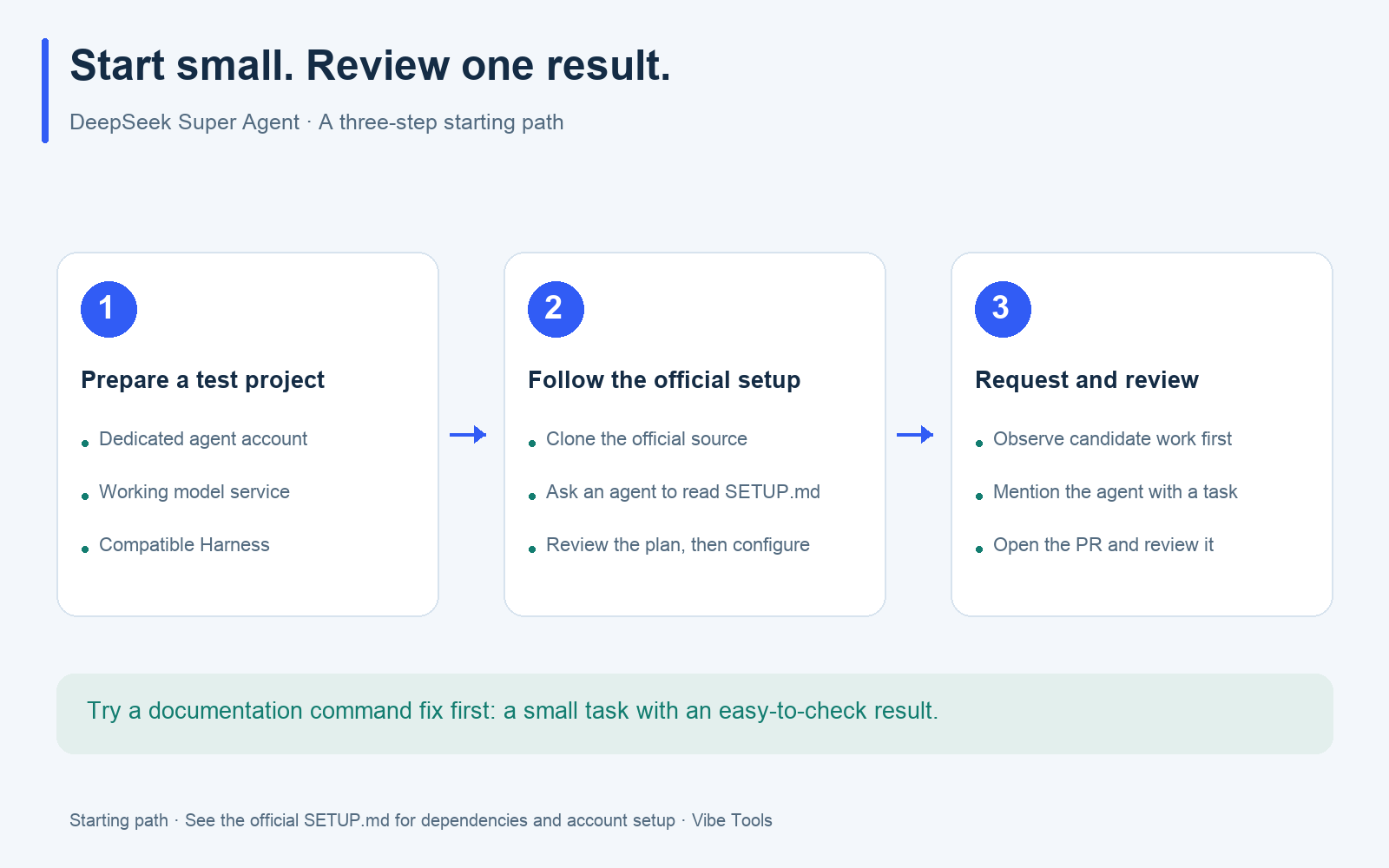
Step 1: Choose the project, agent account, and model service
Decide where the agent will work and whose identity it will use. Prepare a test GitHub repository, a dedicated GitHub account for the agent, and a working model service. The official setup recommends a separate account so the agent's activity has its own identity. Preparation questions
The system depends on DeepSeek Harness. The Harness version and plugin must be compatible; check the current requirements in the official setup guide.
Step 2: Clone the source and ask a coding assistant to guide setup
If you use a terminal, download the official source:
git clone https://github.com/deepseek-ai/dsh-superagent-prototype.git
cd dsh-superagent-prototype
Ask your coding assistant to read SETUP.md in that directory. The official project uses that file as the setup entry point. Installation guide
You can use this prompt:
Read SETUP.md in this repository and help me install dsh-superagent.
Ask about the required configuration, show me the full plan, then proceed.
Connect only the test repository I specify. Keep observe mode on.
I will review and merge changes.
For account sign-in and secrets, give me steps to complete in my local terminal.
In observe mode, the system records candidate work before automatically accepting it. Review those candidates before switching to auto.
Step 3: Send one small request and inspect the result
Once setup is complete, use an account allowed to request work. Create an issue or add a comment in the test repository and mention the agent. Adapt this template:
@your-agent-account
Check the startup commands in README against the project's actual scripts.
Correct only the necessary documentation. Do not change application code.
Explain what changed and why, including anything you could not verify.
I will review and merge the changes.
When a result arrives, open the PR and check it against the request. For a form bug, add reproduction steps and the expected behavior to the same kind of template.
Check progress in the Superagent panel
The Superagent panel in the Harness web interface is the team's task board. It puts work needing human attention first. Check whether the request arrived, whether it was accepted, and whether execution is active or waiting for an answer or review. Panel guide
References
Use the official documents for current behavior and installation requirements.
- Repository and README: scope, prototype status, and delivery.
- 001 Domain model: tickets, sessions, and roles.
- 002 Authorization: permitted requests, observe mode, and follow-ups.
- 003 Execution: worker slots, subagents, and results.
- 005 Panel: progress and work needing attention.
- SETUP.md: guided installation and prerequisites.
- 006 Deployment: configuration and operation.
- 007 Architecture: executor and session scheduling.
Latest from the blog
New research, comparisons, and workflow tips from the Vibe Coding Tools team.
Understand Xiaomi-OCR-0 with a simple training analogy: 170M samples, Q-Mask, CPT and Mix-RL. Compare official scores and try document parsing locally with Ollama or Transformers.
Can you use Dessa yet? Listen to Block’s official demos and check public access, downloads, API status, local hardware and four potential use cases.
A recorded Muse signup through Airtap, covering email codes, birthday confirmation, Meta account creation, and the limits of the invite-code and chat checks.