
WebMCP Gives Websites a Native Tool Layer for AI Agents: A Practical Guide to Codex Site Tools
WebMCP Gives Websites a Native Tool Layer for AI Agents: A Practical Guide to Codex Site Tools
WebMCP is interesting for a reason that has little to do with another acronym entering the agent stack. It gives a web application a browser-native way to declare the actions an agent may take on the page the user is already viewing.
That changes the integration decision. A product team no longer has to choose only between building a remote integration, teaching an agent to infer the UI, or embedding a proprietary assistant. A page can expose a narrow operation such as compare_items, inspect_chart_data, or stage_replacement while keeping the human interface, signed-in session, and application state in one place.
The useful conclusion is deliberately modest:
- Use WebMCP for work that belongs to the live page and benefits from human review.
- Keep MCP for background, cross-system, and page-independent integrations.
- Keep browser automation for sites that have not implemented WebMCP.
- Start with one read-only operation, not a catalog of every button in the product.
This guide reflects the OpenAI, WebMCP, and Chrome documentation available on August 31, 2026. WebMCP remains experimental, so browser support and API details can change.
The proposal and the product are not the same thing
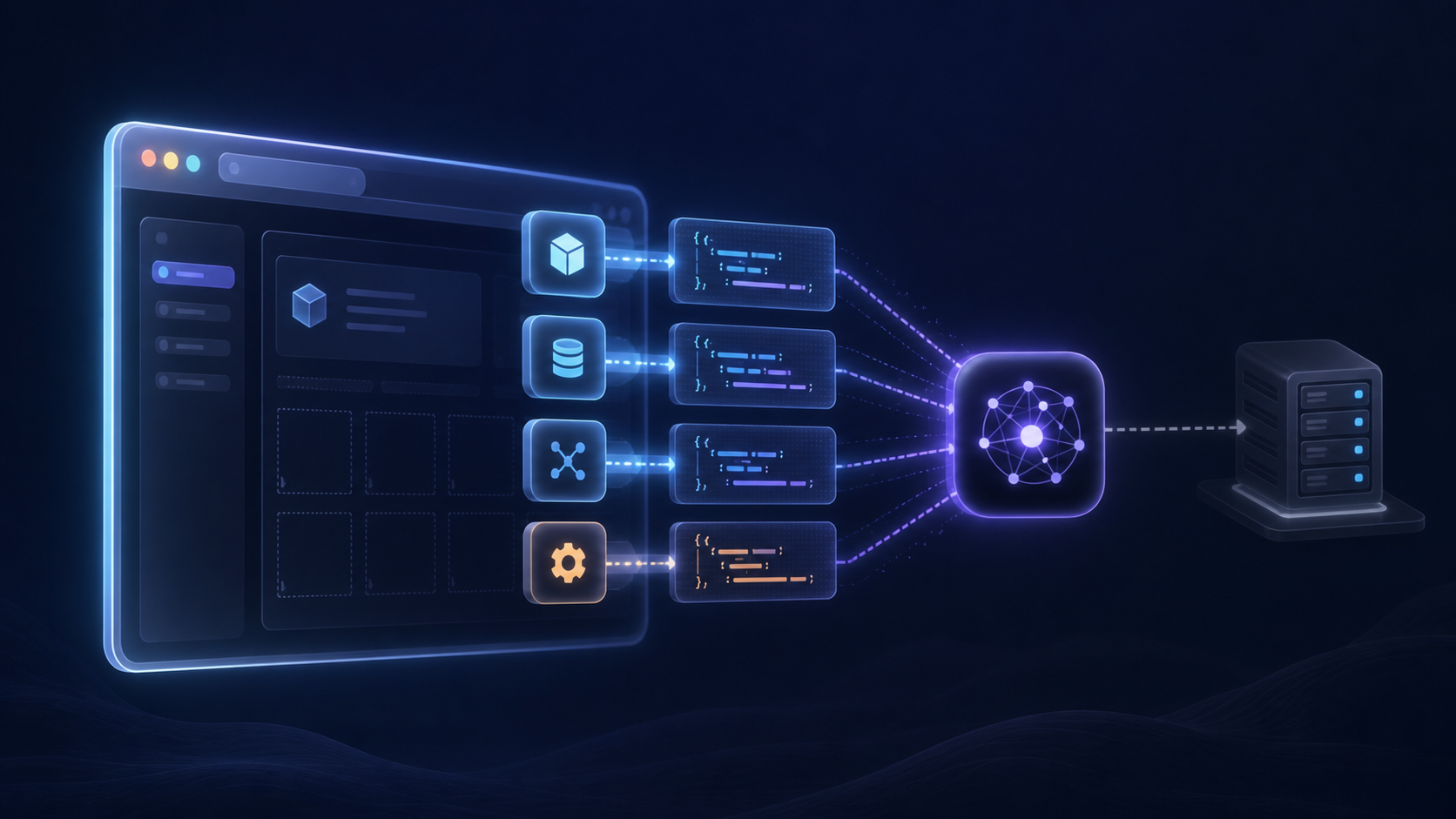
WebMCP is an experimental API proposal developed in the W3C Web Machine Learning Community Group. The current document is a Draft Community Group Report, and the specification explicitly says it is neither a W3C Standard nor on the W3C Standards Track. The proposal defines a document.modelContext surface through which a page can register structured tools for agents and other user agents. See the WebMCP draft for the normative work in progress.
Site tools is OpenAI's implementation of that proposal. In the built-in browser in the ChatGPT desktop app, ChatGPT Work and Codex can discover tools registered by the current page and invoke them as part of a task. The user and the agent remain in the same live page and signed-in session. That product behavior is documented in OpenAI's Site tools guide.
This distinction prevents two bad assumptions:
- WebMCP is not a Codex-only protocol. Other browsers and agents can implement the proposal.
- A community draft is not a portability guarantee. Teams still need to test the browsers and agent products they actually support.
As of August 31, OpenAI documents Site tools for GPT-5.6 Sol and Terra; Luna has WebMCP disabled. The desktop app must be current, availability depends on rollout and the page, and Enterprise and Edu workspaces are not supported. Those are product constraints, not properties of the broader WebMCP proposal.
The real shift is from inferred UI steps to declared capabilities
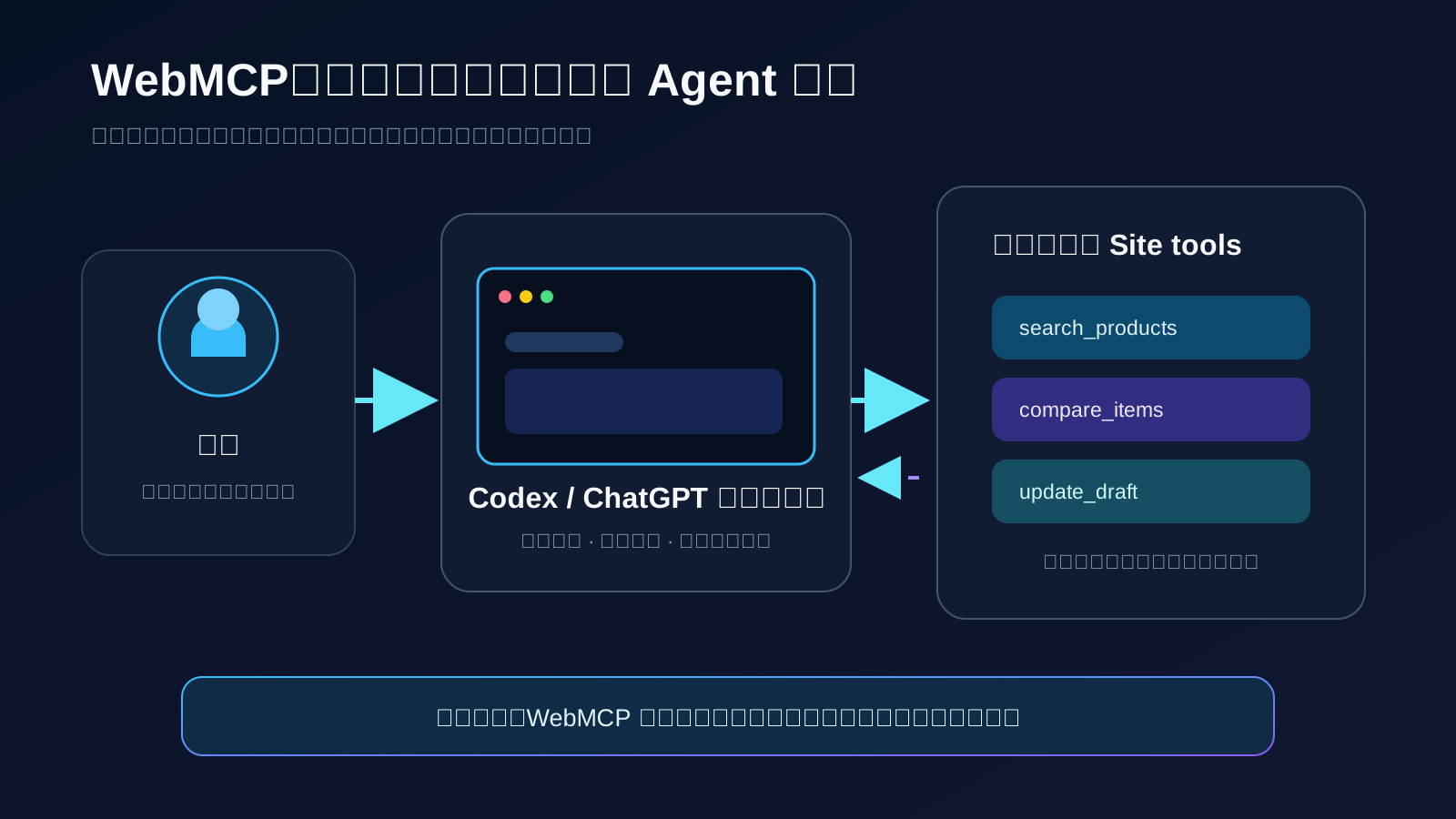
Modern browser agents are not limited to screenshots and coordinate clicks. They may use the DOM, accessibility tree, selectors, visual understanding, or a combination of those signals. The remaining problem is semantic: the agent still has to infer which sequence of interface actions represents the application's intended business operation.
WebMCP lets the application declare that operation directly. A tool registration provides:
- a stable name that describes the operation;
- a natural-language description, including side effects;
- a JSON Schema for accepted input;
- an execution function wired into the existing application;
- a structured result the agent and user can inspect.
Instead of manipulating three filters and a dropdown, an agent can call search_products with a budget, category, and stock requirement. Instead of locating text in an editor and guessing how to save it, the page can offer stage_replacement, return the proposed diff, and leave final approval to the user.
The benefits are practical rather than magical:
Discovery. Once the agent visits the page, it can inspect the operations the site has chosen to expose.
Constrained input. JSON Schema reduces ambiguity and lets the application reject extra or malformed fields before they reach business logic.
Shared state. The tool runs alongside the UI the user sees. It can work with the current selection, canvas, draft, or authenticated session without creating a second integration surface for the same front-end workflow.
Verifiable output. A good tool returns identifiers, counts, summaries, or before-and-after state—not merely { success: true }.
Chrome describes this as a more predictable path than click simulation in its WebMCP developer guide. A short Google Cloud Tech walkthrough at 02:52 shows the registration pattern. Claims in videos about dramatic token savings should still be treated as observations until a team measures its own workflows.
WebMCP occupies a specific layer in the agent stack
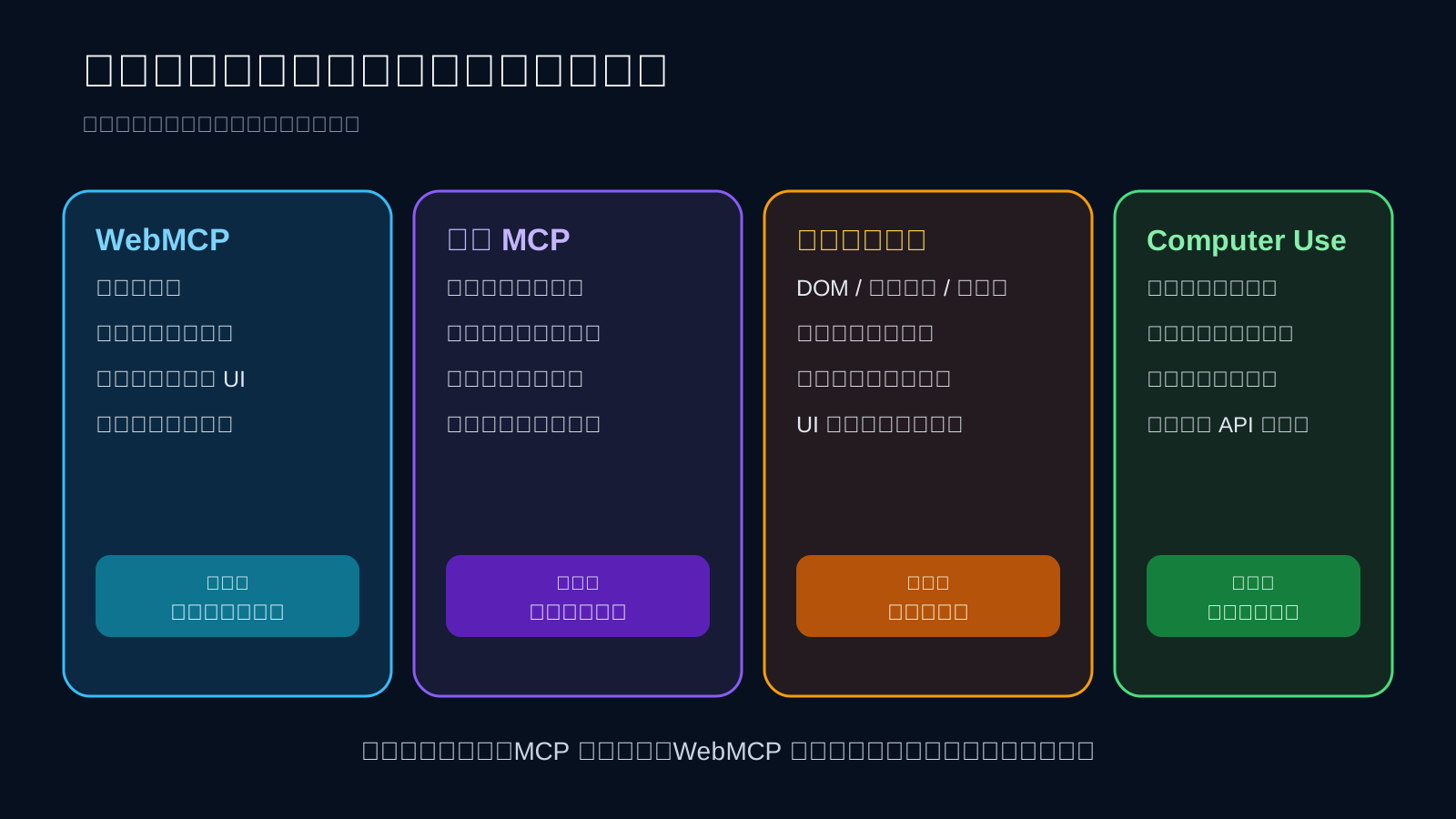
The easiest way to choose a tool is to ask where the task should live and whether it must survive the page.
| Approach | Provider | Lifetime and scope | Strongest advantage | Main constraint | Best fit |
|---|---|---|---|---|---|
| WebMCP | The current web page | Current page and browser session | Declared actions that share the live UI and login | The site must implement it; tools disappear with the page | Search, editing, diagnostics, review, structured forms |
| MCP | A local or remote server | Independent of any open page | Background and cross-system integrations | Requires a server or local connection and its own permission model | Databases, repositories, enterprise systems, long-running tasks |
| Browser automation | The automation client | Any reachable page | Works without site adoption | Selectors and inferred UI flows can change | Testing, scraping, and operating unmodified websites |
| Computer Use | A general computer-control layer | Web and desktop interfaces | Works with software that has no API | Longer, less constrained execution paths | Legacy software and general GUI tasks |
| In-product agent | The product team | One product | Complete control over model, UX, and workflow | Each product rebuilds the assistant stack | High-frequency vertical workflows |
WebMCP therefore does not replace MCP. The Chrome comparison recommends viewing them as complementary. A useful architecture may use MCP for back-office records, WebMCP for the open dashboard where a person reviews changes, and browser automation as a fallback for external sites.
It also does not replace a normal interface. A user who does not have a compatible agent must still be able to complete the task. Feature detection and a first-class human workflow are part of a responsible implementation.
The clearest returns come from bounded, visible workflows
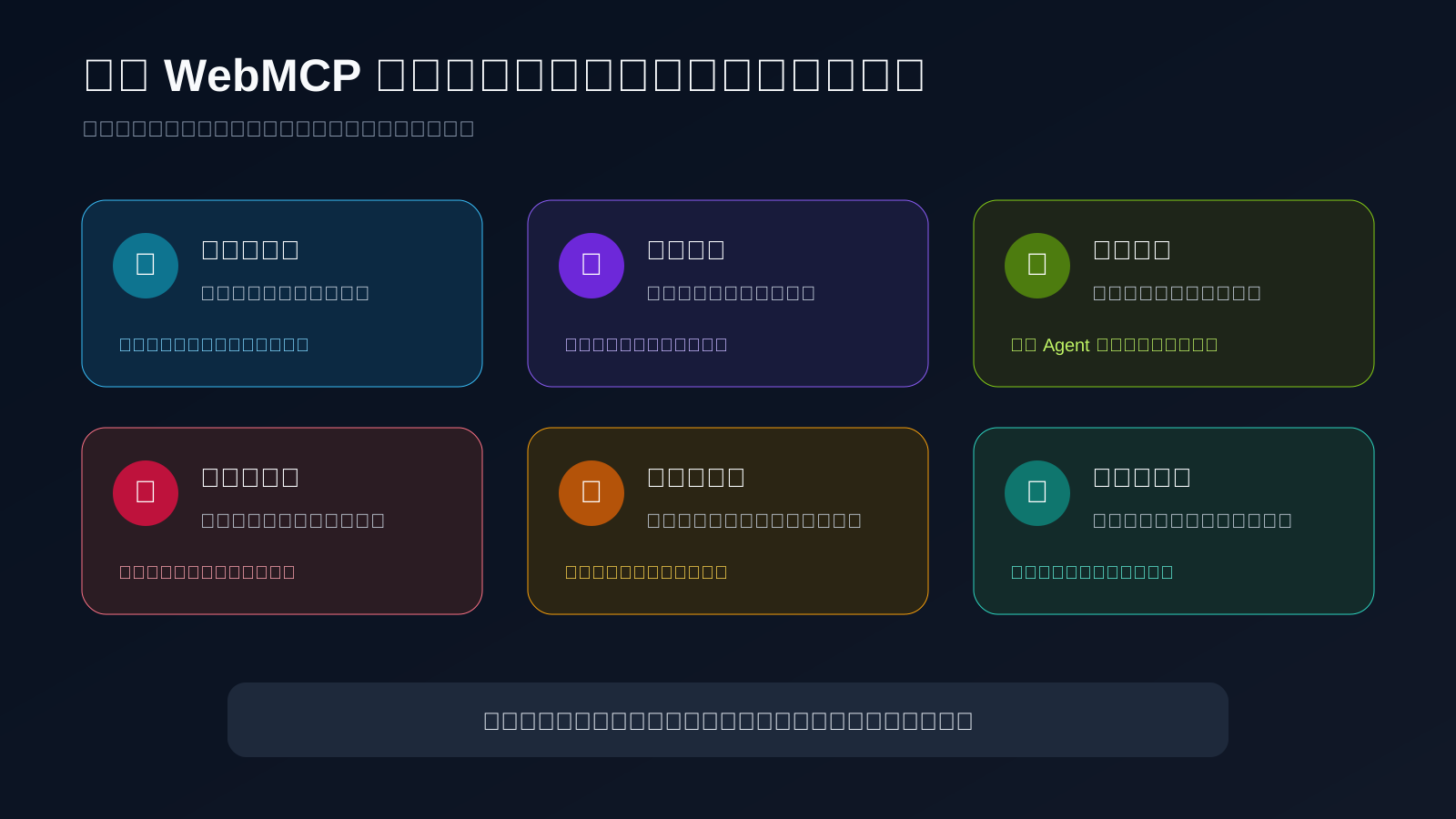
The best initial use cases share three traits: the user is already on the page, the task can be expressed with a small schema, and the result is visible or easy to verify.
Strong candidates
Search and comparison. Product catalogs, SaaS plans, inventory tools, and knowledge bases often hide useful business rules behind many filters. A page-level tool can accept the real decision criteria and return a short, inspectable set of options.
Structured forms. Support tickets, travel requests, event registration, and configuration wizards contain dependencies that are awkward for generic form filling. A task-level tool can validate those dependencies using the application's own rules.
Editors and canvases. Documents, notebooks, diagrams, and code workspaces benefit from a shared object that both the user and agent can inspect. The agent can suggest or stage a change while the user retains the final save or publish action.
Diagnostics. A developer settings page can expose a read-only operation that gathers environment details, configuration, and safe log summaries before the agent drafts a support request.
Preview and approval. Generating a configuration, assembling a cart, or drafting a message is a good fit when the consequential step—publishing, purchasing, sending, or deleting—still requires confirmation.
Domain applications. Games, simulation tools, architecture editors, and data visualizations can expose domain actions that would otherwise be difficult to infer from a canvas.
Chrome's documentation includes support flows, travel planning, forms, complex date pickers, diagnostics, and demonstration applications such as zaMaker and Le Petit Bistro. These examples support exploration; they do not imply that every page needs a tool layer.
Weak candidates
Do not implement WebMCP simply because a page exists. It is a poor fit when the work is mostly a background batch, must continue after the tab closes, spans unrelated third-party sites, or lacks a reliable authorization model. A static article with no meaningful operation gains little from registering tools.
WebMCP is also not an automatic distribution channel. A client generally discovers tools after visiting the page. It complements accessibility, structured data, APIs, and human UX rather than replacing them.
Early momentum is real, but production consensus is not
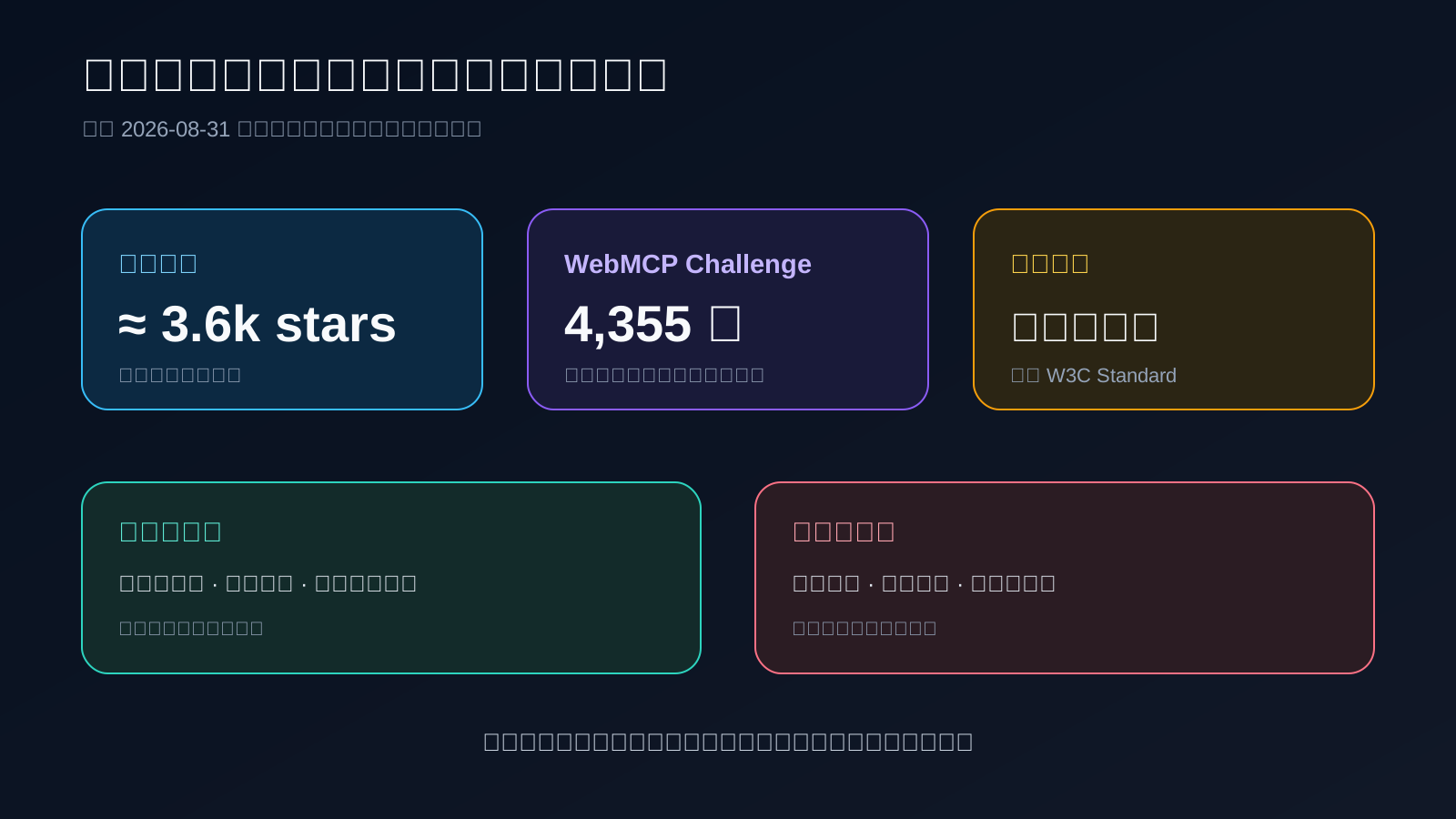
The ecosystem is moving quickly. On August 31, 2026, the WebMCP repository showed roughly 3.6k stars, 235 forks, and 107 issues. The ongoing WebMCP Challenge listed 4,355 participants. Those are credible signals of developer attention, but neither number measures production adoption.
The optimistic case is straightforward. Domain tools can shorten an agent's route through an interface, JSON Schema gives applications stronger input boundaries, and the shared page makes demonstrations easy to understand. A community author reported that adding actions to the GeoGrid game let an agent complete tasks in seconds; a WordPress abilities plugin was shared in the same wave of experimentation. That is useful evidence that developers can build compelling prototypes, not a universal performance benchmark. See the GeoGrid discussion for the experience and the objections around adoption and security.
The skeptical case is equally concrete:
- Playwright and similar systems already use the DOM and accessibility tree, so comparisons against screenshot-only automation are misleading.
- Website owners must do implementation work before demand is proven.
- Tools become discoverable only after a client visits the site, leaving open questions about directories and proactive discovery.
- Tool injection, agent identity, consent, and auditability are not fully settled.
The browser-automation debate corrects several exaggerated comparisons, while the discoverability discussion shows that the community has not agreed on whether a broad registry is necessary for a co-browsing technology.
The right reading is neither “WebMCP has already won” nor “this duplicates everything.” The demos are strong enough to justify targeted experiments. The evidence is not yet strong enough to justify rebuilding a product architecture around it.
Real implementations share a human-review pattern
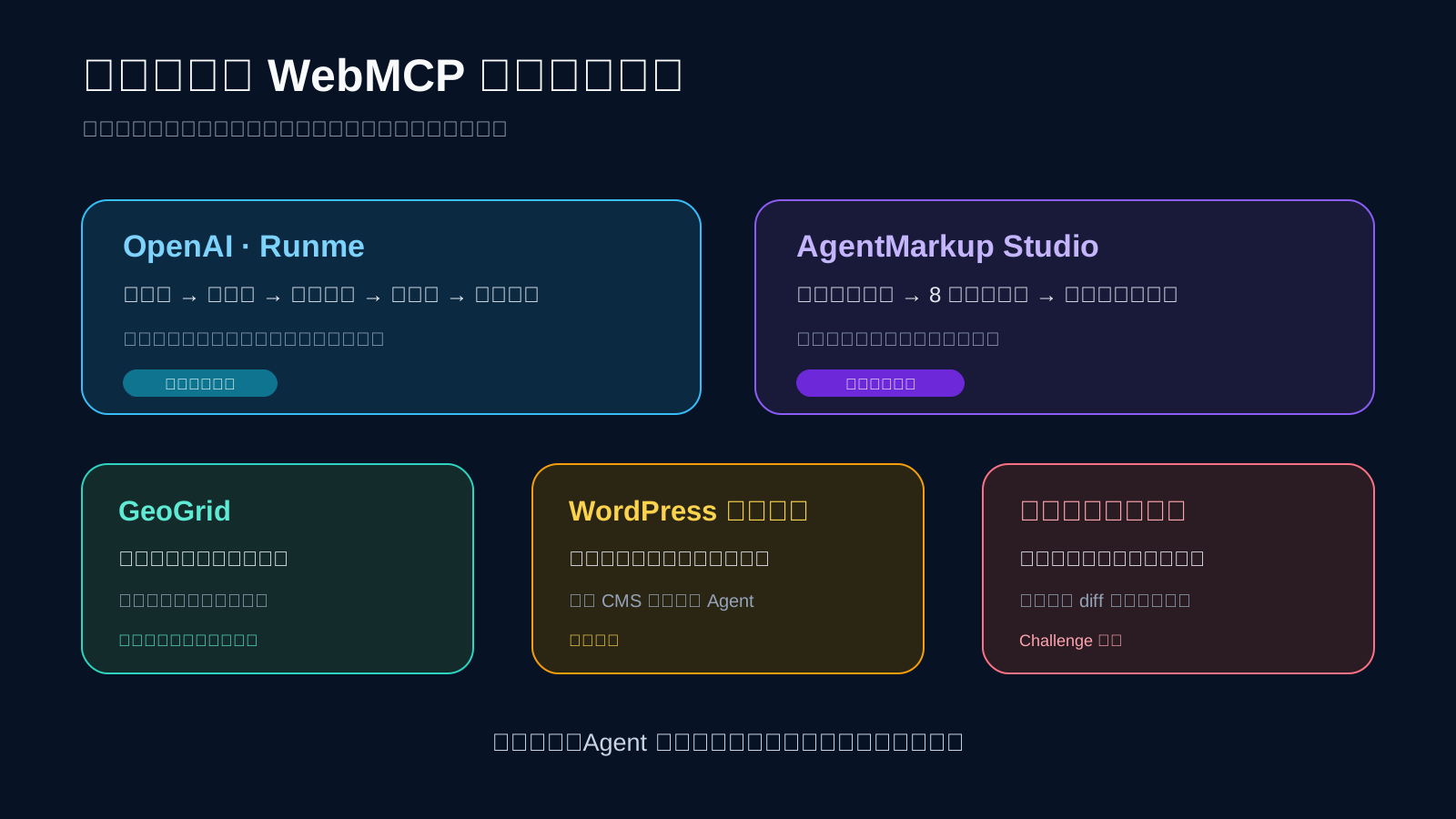
The most instructive WebMCP implementations do not automate every decision. They separate structured, repeatable work from consequential judgment.
Runme: Codex operates inside a visible evaluation notebook
OpenAI uses the open-source Runme web notebook to support repetitive model-evaluation work. Codex reads the goal, proposes a plan, waits for approval, runs the evaluation, and records commands, dead ends, and decisions.
Because Runme is a client-side web application, a traditional MCP service for the same page workflow would introduce a backend and another data path. WebMCP lets the application register browser-side tools for reading instructions, executing bounded JavaScript, updating notebooks, and accessing documentation. The OpenAI Runme case study is valuable precisely because the human still approves the plan and consequential choices.
AgentMarkup Studio: deterministic output from a shared draft
AgentMarkup Studio registers eight tools that modify the same in-memory draft visible to the user. A deterministic compiler then produces llms.txt, robots.txt, JSON-LD, Agent Card, and related configuration files.
The agent cannot silently mutate a live website. Undo, reset, and download remain human actions. This is a strong product pattern: use the model for structured editing, use deterministic code for compilation and contradiction checks, and reserve final application for the user.
Edge and community experiments
Cloudflare's developer preview explores injecting a same-origin bridge at the edge, exposing tool packs and a C2PA scanner, or proxying an existing site MCP capability into the current session. It may reduce modification work for existing sites, but it remains a preview rather than a default capability for every Cloudflare property. See Cloudflare's WebMCP announcement.
Other prototypes include domain actions for games, WordPress integrations, and browser-based code workspaces that search, read, and stage exact replacements before a person reviews the diff. The common pattern is more important than the demo category: the agent handles bounded operations, and the human owns the irreversible boundary.
A tool-stack discussion at 10:03 compares WebMCP with APIs, MCP, Computer Use, and embedded agents. It is useful for product ideas, but the episode itself acknowledges that WebMCP is experimental; official documentation should remain the source for compatibility claims.
A low-risk adoption plan starts with one read-only tool
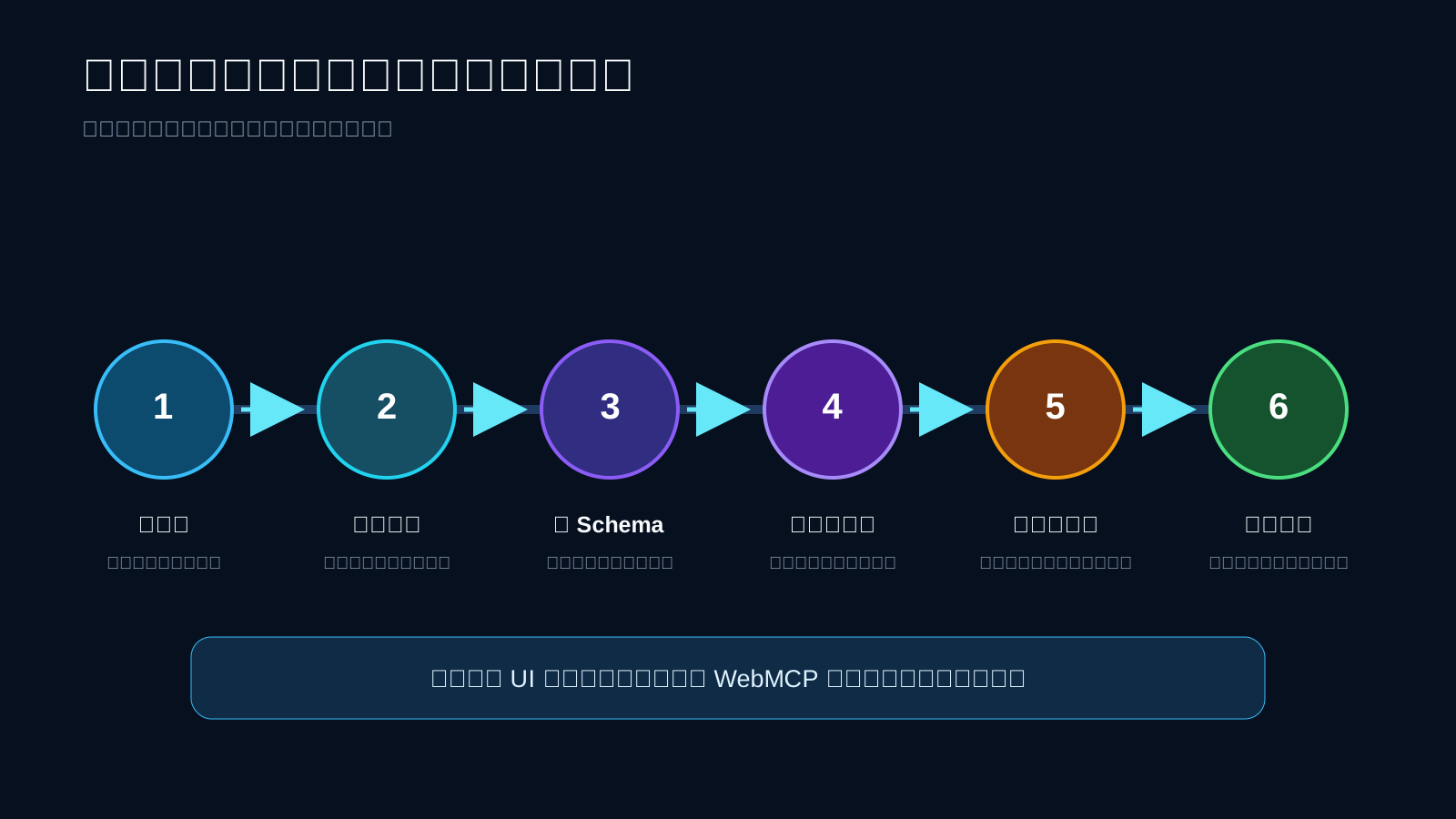
Treat WebMCP as a new entry point into an existing application, not as permission to create parallel business logic.
Step 1: choose a user outcome
Start with a job a person already performs on the page: inspect an order, compare selected items, summarize diagnostics, or locate a section in a document. Avoid converting the navigation tree into dozens of tools.
Step 2: implement the read path first
A read-only tool validates discovery, descriptions, schema handling, results, and failure behavior with the smallest security surface. Add write operations only after the read path demonstrates value in real tasks.
Step 3: reuse application controls
Call the same authorization, validation, rate-limiting, and service functions used by the normal interface. Do not create a more permissive implementation inside execute.
Step 4: minimize the schema
Accept only the fields needed for the outcome. Prefer enums to arbitrary strings, reject additional properties, and never expose an entire page state merely for model flexibility.
Step 5: make the result inspectable
Return the object identifier, current state, affected count, or proposed diff. A person should be able to answer “what changed?” without trusting the agent's summary.
Step 6: measure real tasks
Track completion rate, elapsed time, confirmation count, failure reasons, and whether users accept the result. Avoid performance percentages or token-saving claims that your own evaluation has not reproduced.
The smallest compatible tool looks like this:
if (typeof document.modelContext?.registerTool === "function") {
  await document.modelContext.registerTool({
    name: "get_page_title",
    description: "Read the current page title. This does not modify page or user data.",
    inputSchema: {
      type: "object",
      properties: {},
      additionalProperties: false,
    },
    annotations: { readOnlyHint: true },
    execute: async () => ({
      title: document.title,
      url: location.href,
    }),
  });
}
For OpenAI's current implementation, use the imperative JavaScript API in the top-level page. The built-in browser does not currently expose declarative tools defined with HTML form attributes and does not discover tools registered inside iframes. Chrome's broader implementation documents both imperative and declarative APIs, an origin trial beginning with Chrome 149, and the local chrome://flags/#enable-webmcp-testing flag. Verify each target separately rather than assuming the proposal and every product expose the same subset.
Security must remain anchored in the application's trust model
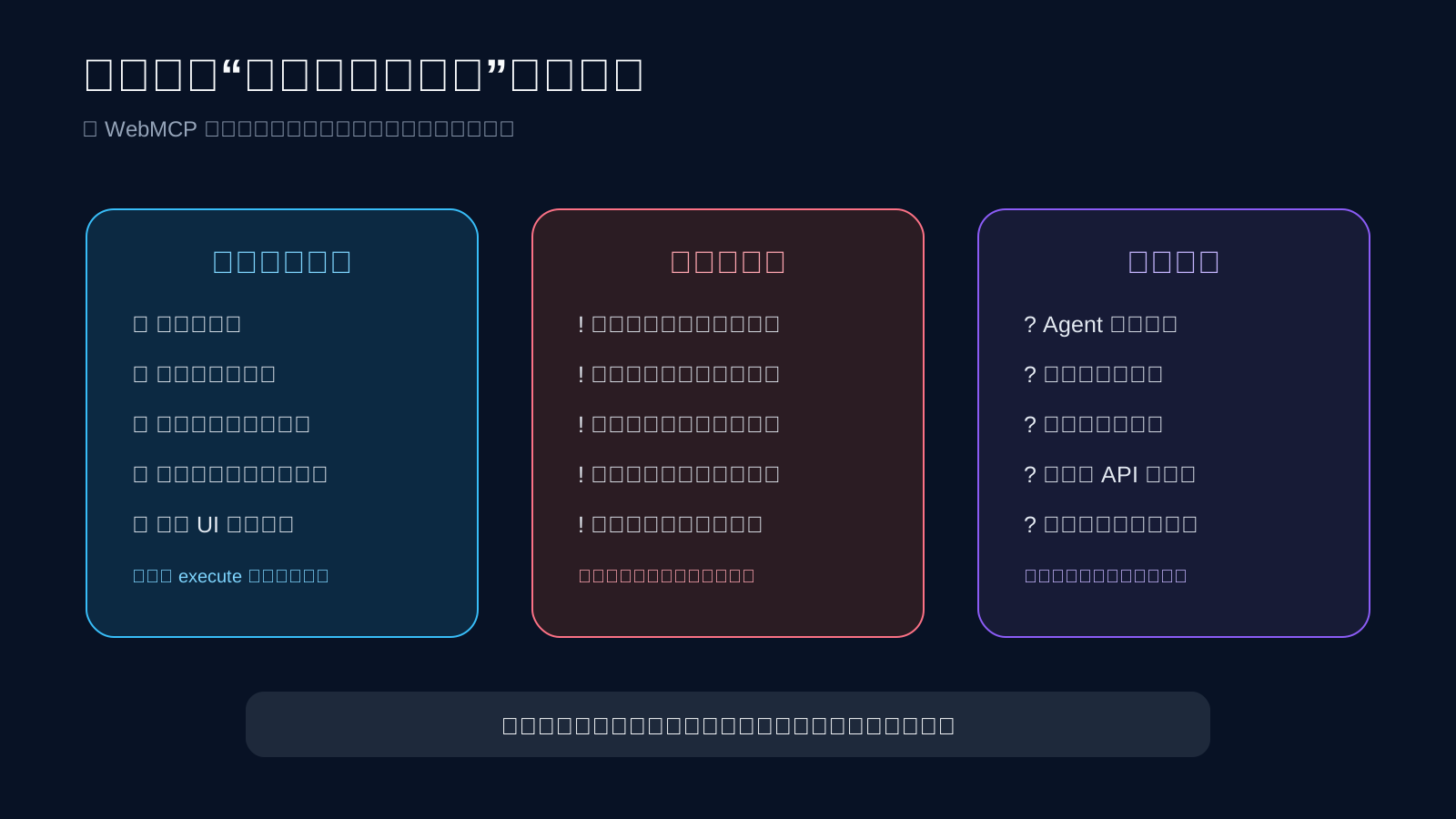
A browser safety review is useful, but it does not make the site, its tool description, or its output trustworthy. OpenAI explicitly states that normal confirmation policies still apply to purchases, messages, deletions, and permission changes, and that the checks do not turn website output into trusted content.
Before shipping a tool, verify that:
- the name and description match the actual operation;
- the schema requests no unnecessary data;
- authentication and authorization are enforced again at the trusted boundary;
- consequential writes return a reviewable summary and require confirmation;
- third-party scripts cannot silently register privileged tools;
- tool output is treated as untrusted data rather than a new instruction;
- calls, results, and failures are recorded for audit and evaluation;
- the normal interface still works when WebMCP is unavailable.
The draft discusses prompt injection, tool poisoning, misrepresented intent, over-parameterization, and origin boundaries. The community is still debating standardized agent identity, security policy, consent, middleware, and audit logs. The WebMCP security sections and security proposal issue are evidence that the work is active—not evidence that every control has already shipped.
WebMCP is worth testing now because it offers a clean interaction layer for people and agents working in the same web application. It is not a reason to replace every integration. Let MCP own page-independent systems, let browser automation cover unmodified sites, and let a narrow WebMCP tool prove its value before the tool catalog grows.
Sources
- OpenAI: Site tools
- W3C Web Machine Learning Community Group: WebMCP API draft
- Chrome for Developers: WebMCP
- Chrome for Developers: WebMCP compared with MCP
- OpenAI: Automating repetitive work with Codex and Runme
- Cloudflare: WebMCP developer preview
- AgentMarkup Studio case study
- The WebMCP Challenge
- WebMCP GitHub repository
- Google Cloud Tech implementation walkthrough at 02:52
- Greg Isenberg tool-stack discussion at 10:03
- Sponsored Site tools experience at 12:30
Latest from the blog
New research, comparisons, and workflow tips from the Vibe Coding Tools team.
A recorded Muse signup through Airtap, covering email codes, birthday confirmation, Meta account creation, and the limits of the invite-code and chat checks.
A practical look at local LLMs and agent workflows on a 32GB Apple Silicon Mac mini, including Qwen3.6-35B-A3B, MLX, and tool-calling limits.
A practical review of Jev's typed decisions, state handling, current AI Gateway availability, and independent open source alternatives.