
ChatGPT Work vs Codex: A Plain-English Guide to Choosing the Right One
ChatGPT Work vs Codex: A Plain-English Guide to Choosing the Right One
Open ChatGPT today and you may see three places to begin: Chat, Work, and Codex. All three can read information and produce useful results, so the choice is not immediately obvious.
Here is the shortest useful answer:
- Use Chat for a question, a discussion, or a small writing task.
- Use ChatGPT Work when you want a finished report, spreadsheet, presentation, plan, or other work product.
- Use Codex when you want an AI assistant to enter a software project, change it, run checks, and show you exactly what changed.
Work and Codex are not strangers. Think of them as two workbenches powered by much of the same machinery. One puts documents, connected apps, and finished deliverables within easy reach. The other puts software projects, tests, and code changes front and center.
This guide is based on OpenAI documentation, hands-on reviews, public videos, and community discussions available on September 2, 2026. These products are changing quickly, so individual buttons and screen layouts may move. This article does not cover pricing.

The relationship: shared machinery, different workbenches
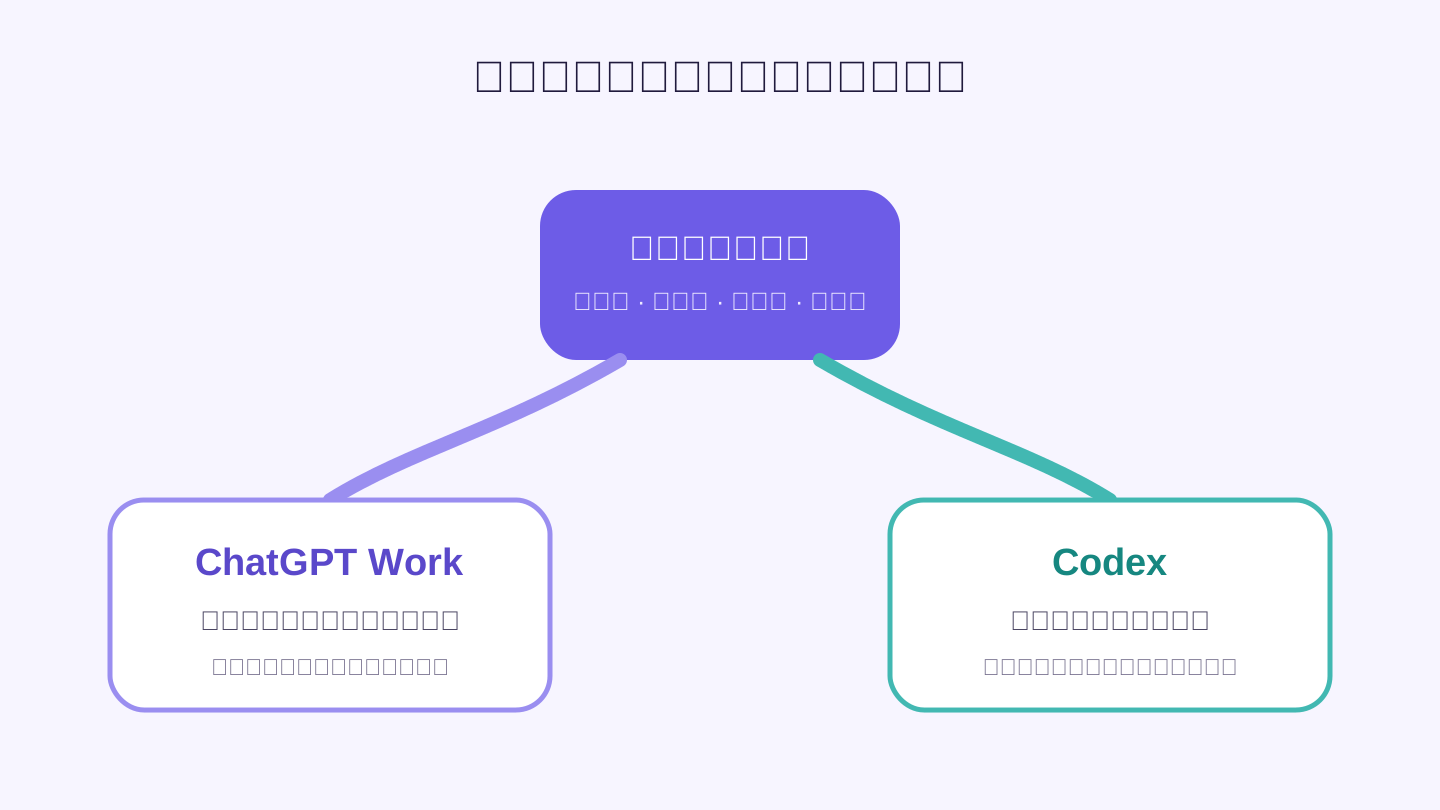
OpenAI's ChatGPT Work overview says that Work and Codex share core systems for carrying out tasks, keeping work separated, and controlling permissions. Cloud Work also uses the Codex execution harness.
In everyday language, both products can take a goal, break it into steps, use approved tools, and keep working until there is something you can review. The difference is what each product assumes you are trying to review at the end.
Work is organized around everyday business material:
- meeting notes, messages, documents, and spreadsheets;
- files from connected office apps;
- reports, presentations, plans, and repeatable updates;
- a result that can be read, edited, or shared.
Codex is organized around software:
- an existing code project;
- a bug or feature request;
- automated checks and test results;
- a clear record of which files and lines changed;
- a change that a developer can approve before it is merged or released.
You will sometimes hear Work described as “Codex without the technical interface.” That is a helpful first impression, and a Zapier hands-on review makes a similar comparison. But it is not the whole story. Work is not just a simpler skin. Its natural starting material is office information, and its natural ending is a finished work product. Codex is built around changing and checking software.
So the safest mental model is simple: shared ability to do work, different default workspace and different result to inspect.
The easiest decision rule: what will you inspect at the end?
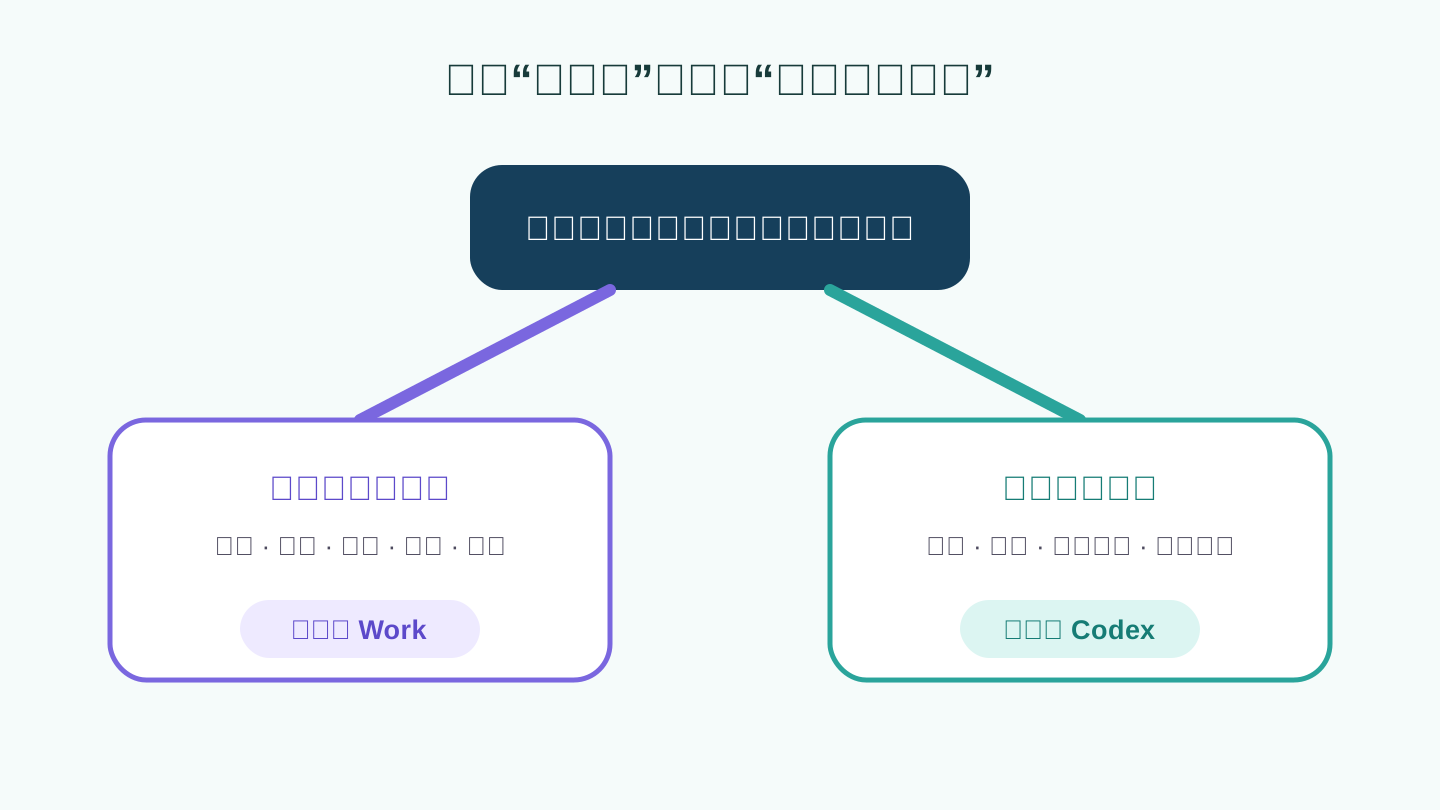
Do not start by asking which product is more powerful. Ask this instead: when the task is done, what must I check?
| What you need to inspect | Best starting point | Typical task |
|---|---|---|
| An answer or an idea | Chat | Explain a topic, improve a paragraph, brainstorm |
| A usable deliverable | ChatGPT Work | Report, spreadsheet, presentation, plan, email draft, simple site |
| A software change | Codex | Add a feature, fix a bug, run tests, prepare a release |
Consider a few common situations.
Preparing a client update. You have interview notes, sales figures, old slides, and several emails. You need one clear presentation. Work is the better home because the quality of the final document matters more than the technical trail used to create it.
Understanding a spreadsheet. If you only want an explanation of why sales fell, ordinary Chat may be enough. If you want the data cleaned, charts created, findings written, and the result placed into a company template, move to Work.
Changing a company website. Work can help turn feedback into a mockup or written plan. Once the real website project must be edited and tested, Codex is the more natural choice.
Building a small internal tool. Work can first turn loose requests, sample files, and meeting notes into a clear specification. After a person confirms that specification, Codex can implement it in the software project. This handoff is often cleaner than forcing one tool to own the entire process.
Running a technical investigation. If the final result is a report for a manager or client, Work is good at organizing the evidence. If the investigation depends on scripts that must be run again later, Codex can keep those scripts and their checks inside a project.
A hands-on comparison from Global Views reached a similar practical split: Work handled marketing information and deliverables, while Codex handled code changes and verification.
How to use ChatGPT Work without overcomplicating it
Work is most useful when the outcome is clear but reaching it takes several steps. OpenAI's getting-started guide recommends beginning with a task you already understand. That matters because you need enough subject knowledge to spot missing facts, weak reasoning, or a polished-looking mistake.
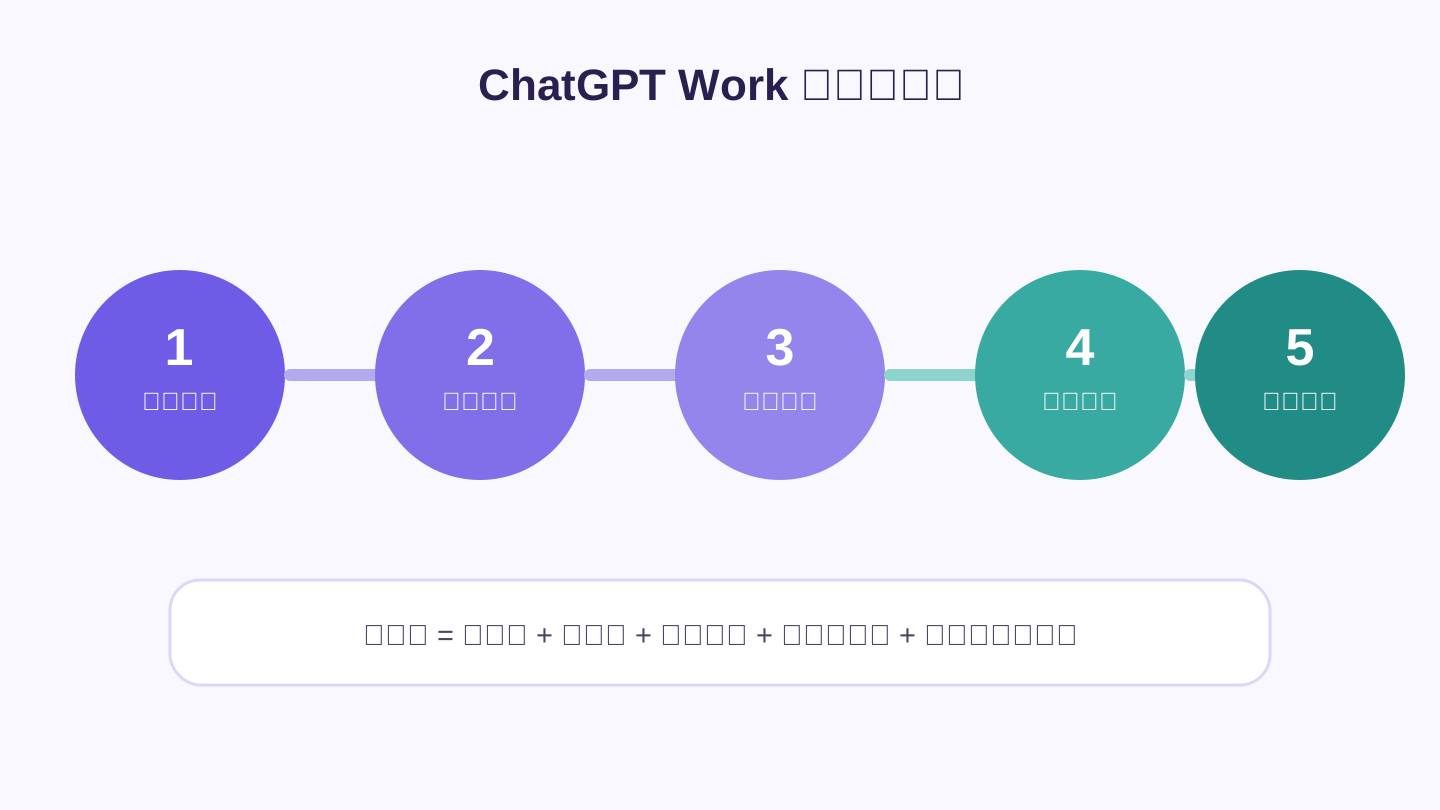
A strong request can be written in five plain parts:
- Outcome: What should exist when the work is finished?
- Sources: Which files, folders, or connected apps may be used?
- Boundaries: What must not be guessed, changed, sent, or published?
- Quality check: What makes the result acceptable?
- Pause point: When should the assistant stop and ask for your approval?
For example:
Read the interview notes and survey spreadsheet I provided. Create an eight-slide update for the product team using our existing template. Focus on the three most common problems. Keep facts separate from recommendations and mark any claim that does not have enough evidence. Do not send or publish the file. Show me the outline before making the final presentation.
That request is effective because the assistant does not need to guess the audience, the source material, the acceptable evidence, or the approval step.
Local or cloud?
This choice causes more confusion than it should.
- Choose local when the task needs files on your computer, a desktop app, or a browser session where you are already signed in.
- Choose cloud when the task should continue while your computer is off, or when you want to review it later from another device.
Cloud Work cannot simply reach into your computer or inherit every login from your local browser. You need to upload the material or approve a connected app. The official Work security overview explains these boundaries in more detail.
Start small. Give Work a limited set of files and a task that can be undone. For actions such as sending an email, changing an account, submitting a form, deleting a file, or publishing content, tell it to stop for confirmation first.
Jeff Su's Work walkthrough at 1:39 shows a more elaborate setup using folders, reusable instructions, and connected tools. That can be useful later, but it is not a requirement. A familiar 30-minute task and a careful review are enough for your first run.
How to use Codex and know whether the job is really done
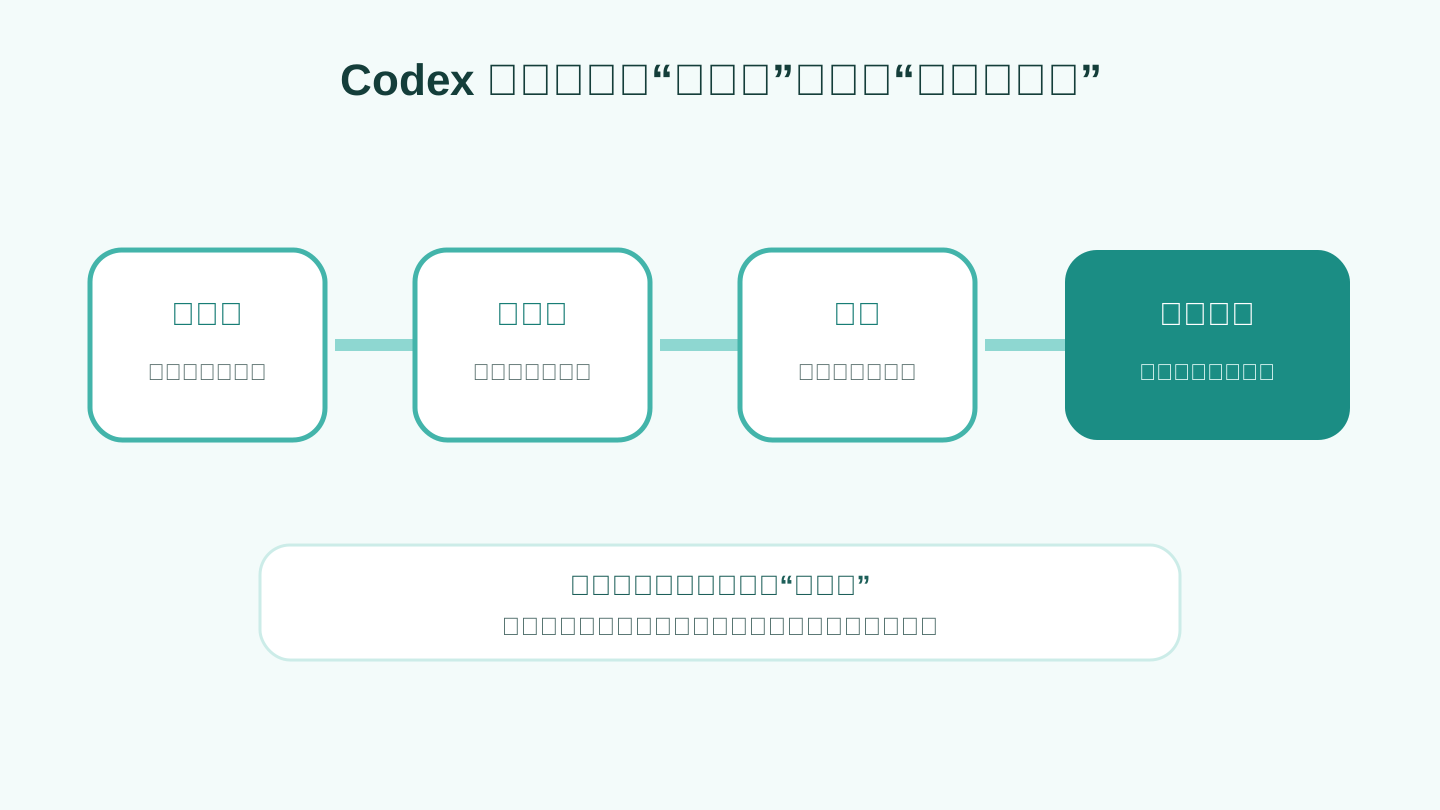
Codex is designed to work inside a real software project. The useful result is not merely a code sample pasted into a chat. It is a focused change applied to the project, followed by checks that help a person decide whether to keep it.
The Codex cloud guide describes the core flow: connect a project, prepare what it needs to run, describe the desired result, let Codex work, then inspect the summary and the exact changes before accepting them.
A good request might look like this:
Add phone-number format validation to the registration form in this website project. Change only the registration-related code; do not alter login or payment behavior. Reuse the patterns and tools already in the project. Run the relevant tests, then tell me which files changed and whether every check passed.
Even without specialist vocabulary, the request answers the important questions: where to work, what outcome is wanted, what is out of bounds, how the result should be checked, and what must be reported.
If you are not a programmer, do not accept “done” as proof. Ask for and verify three things:
- Which files changed?
- Did the automated checks actually pass?
- Does the page or program still work when you try it?
Changes involving payments, permissions, private user information, or deletion should also be reviewed by someone who understands that part of the system.
Codex can perform some non-coding tasks too. Skill Leap AI's guide demonstrates work with receipts, PDFs, folders, and spreadsheets. Capability is not the same as fit, though. If your real concern is whether a report reads well—not how commands ran or files changed—Work usually gives you a calmer review experience.
A practical handoff: Work first, Codex second
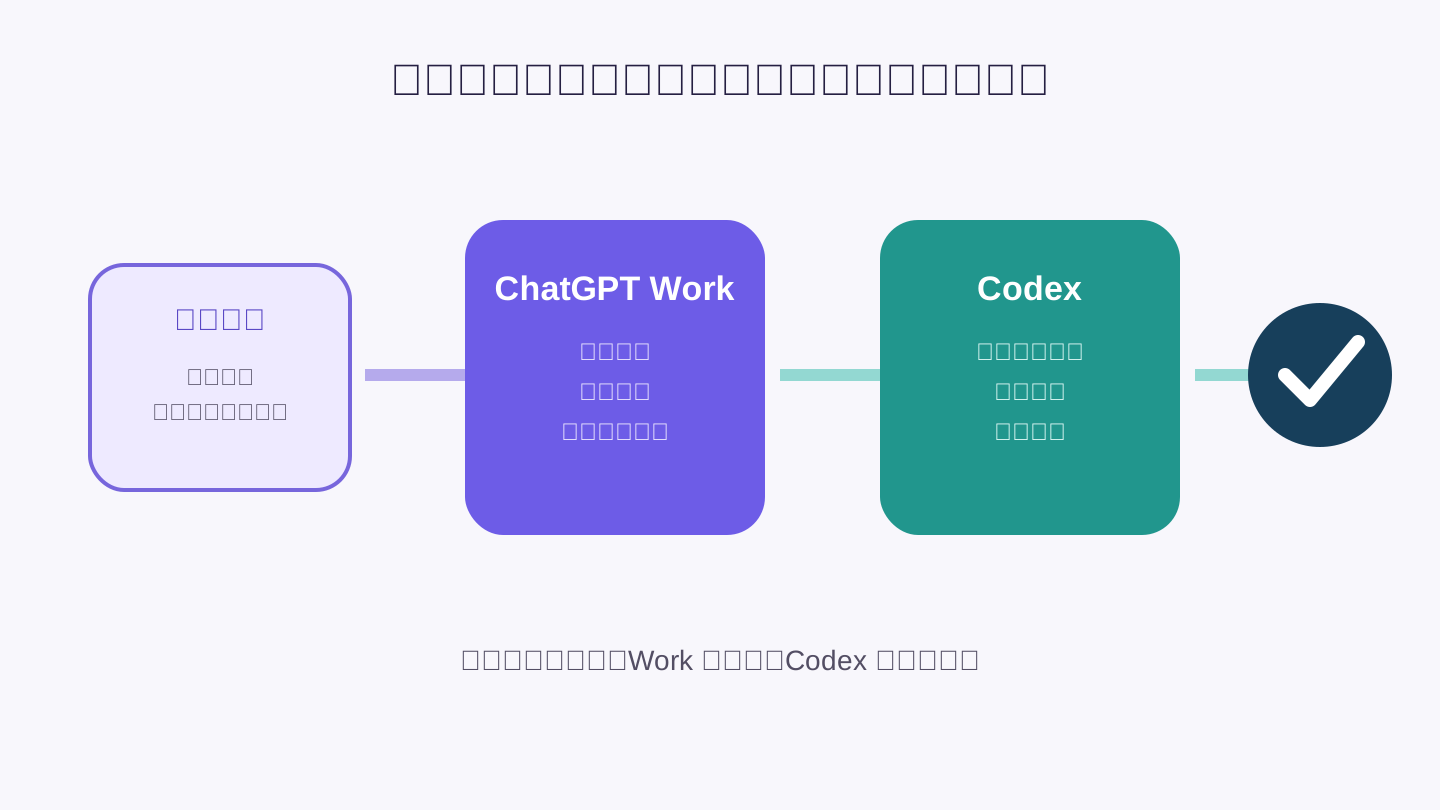
Many valuable tasks begin with people and documents but end with software. In that case, Work and Codex can take separate turns.
Imagine a customer says, “The spreadsheet exported from the admin screen is a mess, so I clean it up by hand every week.”
First, give Work the customer comments, old spreadsheets, meeting notes, and a sample of the desired output. Ask it to produce:
- a short explanation of the current problem;
- the columns and formatting the new export needs;
- examples and edge cases that must be preserved;
- a checklist for deciding whether the change is correct;
- a list of unanswered questions.
Next, have a person confirm that this document matches what the customer actually needs. This approval step prevents a beautifully implemented misunderstanding.
Then place the approved specification with the software project and ask Codex to find the export feature, change it, add or update the relevant checks, and report its work.
Finally, review both sides. Open a real exported spreadsheet to confirm the business result, and inspect the test results to confirm the software did not quietly break something else.
The division is straightforward: Work turns scattered human context into an agreed result; Codex turns that agreed result into a checked software change.
Do not create a handoff just because you can. A presentation-only task should stay in Work. A clearly described bug should go straight to Codex. Fewer tools and fewer transfers usually mean fewer places for meaning to get lost.
What users are saying: useful capability, confusing boundaries
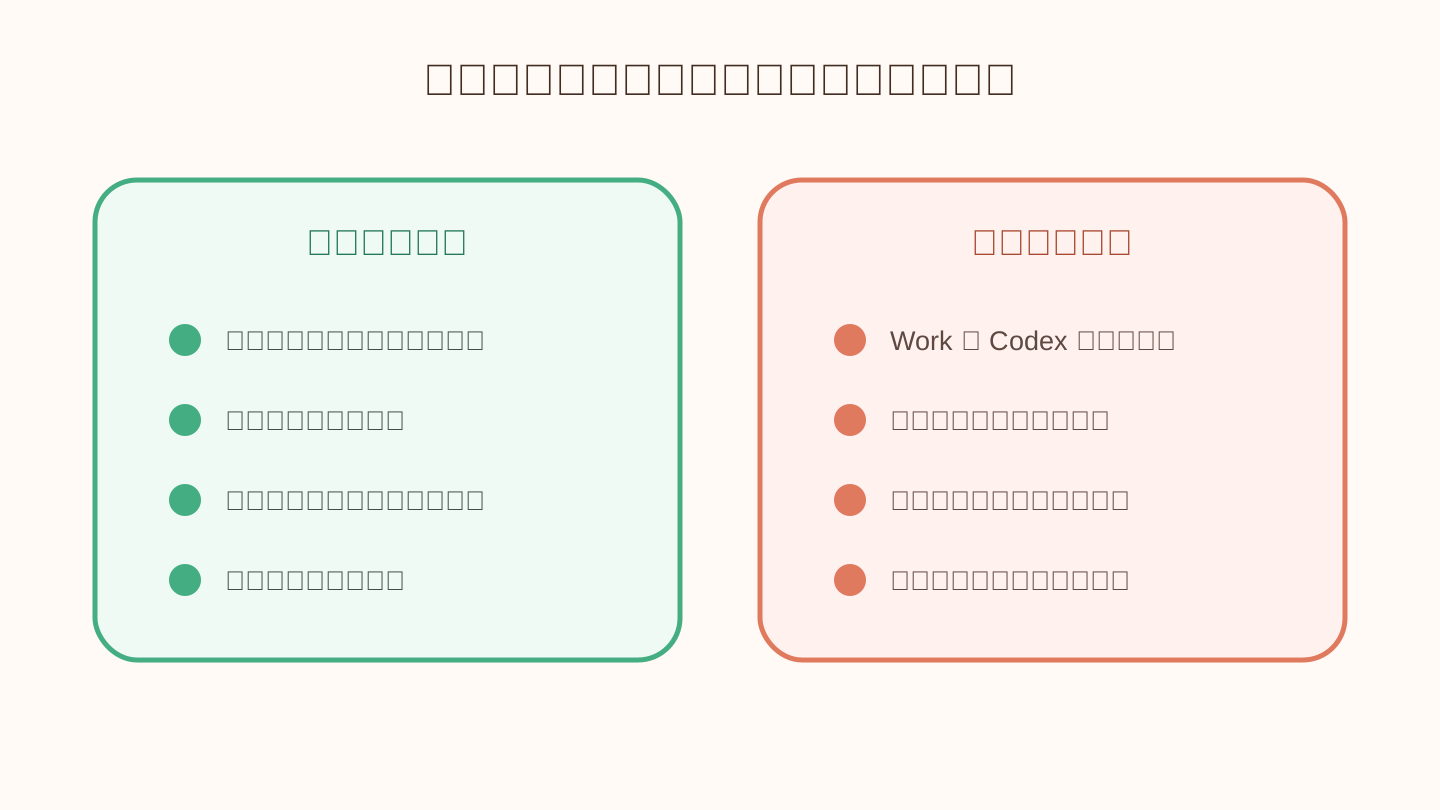
Public discussion is still an early-adopter sample, not a survey of every user. Even so, a clear pattern appears.
What people like
In a Reddit thread asking whether people use ChatGPT Work, users describe it as particularly helpful with many documents, messy source material, research, and connected office tools. Some say it works well as an analysis or research assistant because it can carry one task through several stages instead of stopping at an answer.
People who do not care about command lines or code details also appreciate that Work keeps those details out of the way. For someone who needs a spreadsheet, report, or presentation, technical activity can be noise rather than reassurance.
Hands-on reviews echo that benefit. Zapier found good uses in recurring briefings, document work, data analysis, and turning raw material into deliverables. Global Views showed a similarly practical office workflow.
What people dislike
The loudest question is also the title of this article: what is the real difference between Work and Codex?
In a Reddit discussion about the new Work and Codex interface, many developers noticed overlapping tools and similar-looking task lists. Some concluded that Work was simply Codex with the technical details hidden. In another thread, developers discussing whether they use Work often said they stay in Codex whenever the result belongs in a software project.
That confusion is understandable. The underlying abilities overlap, while the meaningful difference is often the starting context and the result you are expected to inspect. Those differences are less visible than a feature checklist.
A TechRadar report on the desktop app update also documented frustration around moved conversations, changed entry points, and unfamiliar navigation. Zapier noted other practical rough edges: local and cloud work do not always feel continuous, automated browsing can be blocked, connections vary in quality, and generated designs still need human editing.
The balanced reading is neither “Work changes everything” nor “Work is pointless.” It makes long, multi-step AI work more approachable for people who care about business material and finished outputs, but the product boundaries and day-to-day experience are still being refined.
Use this final checklist:
- Need an answer? Start with Chat.
- Need a finished deliverable? Start with Work.
- Need a software project changed and checked? Start with Codex.
- Need both a clear business specification and software implementation? Let Work prepare the first, then let Codex handle the second.
Whichever you choose, begin with a small task whose correct result you can recognize. Speed is not the same as accuracy. The best tool is the one whose output you can understand, inspect, and safely approve.
Sources
OpenAI documentation
Reviews and reporting
- Zapier: What Is ChatGPT Work?
- Global Views: Hands-on ChatGPT Work and Codex comparison
- TechRadar: User reaction to the ChatGPT desktop app update
Community and video
Latest from the blog
New research, comparisons, and workflow tips from the Vibe Coding Tools team.
A recorded Muse signup through Airtap, covering email codes, birthday confirmation, Meta account creation, and the limits of the invite-code and chat checks.
A practical look at local LLMs and agent workflows on a 32GB Apple Silicon Mac mini, including Qwen3.6-35B-A3B, MLX, and tool-calling limits.
A practical review of Jev's typed decisions, state handling, current AI Gateway availability, and independent open source alternatives.